

Developing Unity Games with AI
Developing Unity games with AI combines assistance with C# and project files with work in Unity's scenes, assets and Editor. A working script is one part of a feature: the correct GameObjects, components, references and build configuration must also be present. Unity's official tools include an in-editor assistant with asset generators and support for external agents.[1]
This practical guide belongs to the Developing Games with AI series. It focuses on a recoverable Unity workflow, from inspecting an existing project to testing an exported build. The example tasks, prompts and acceptance checks are recommendations, not an engine tutorial, a tested sample project or a promise of development speed. Tool details were checked on 30 October 2026; use documentation for the versions installed in the project. For background on the field, see AI game development.
Unity's official AI tools as of 30 October 2026
Unity now calls its offering "Unity's AI tools". Its product FAQ says it is "retiring the 'Unity AI' brand name" and names each tool by function: the in-editor AI assistant, the AI gateway, the MCP server, the official plugin and the CLI.[22] The same FAQ describes the tools as being in beta, says they require Unity 6.0 or later, and says they are not included by default but need a package installation.[22]
| Tool | What it does | Cost and access, as Unity describes them |
|---|---|---|
In-editor AI assistant (com.unity.ai.assistant) | Answers questions, writes code, performs Editor actions and generates sprites, textures, animations and sounds from text or reference input[1] | Uses Unity Credits. Pro, Enterprise and Industry subscriptions include access; Personal Edition users can start a free trial that converts to a $10/month subscription[22][23] |
| AI gateway | Connects a verified third-party agent that the user already subscribes to, bypassing Unity's own agent | Does not consume Unity Credits[22] |
| Unity CLI | Standalone binary that installs Editors, creates and opens projects, runs batch builds and tests, and drives a running Editor through the Unity Pipeline package | Free and separate from Unity's AI subscriptions; labelled experimental; release 1.0.0-beta.14 shipped on 21 October 2026[4][24][26] |
MCP server through the CLI (unity mcp) | A Model Context Protocol server for agents that cannot run shell commands | Free, "with no concurrency limits"[22][24] |
| Official plugin (unity-agent-plugin) | Unity skills for Claude Code, Codex and Grok. Its Claude Code documentation says it "only ships skills" and drives the Editor through the CLI, although Unity's product FAQ describes it as bundling the CLI and MCP server | Free; Unity 6.0 or later[2][22][25] |
| Sentis | Runs trained neural-network models inside a Unity project at runtime | Separate from the assistant; Unity says Sentis "remains active"[1][22] |
Unity's FAQ also says Unity Muse is "a deprecated product offering which featured Unity first-party models", whereas the current tools use third-party models.[22]
Unity Credits come from a monthly organization allocation. They reset each billing cycle without rolling over, and when the balance reaches zero Unity's AI features pause until the next cycle or until more credits are bought. Unity's example table lists 4 to 1,500 or more credits for an assistant message and 8 to 13 for a 3D model generation, but it labels these figures representative examples that can change without notice; the Unity Dashboard shows actual usage.[23]
Unity's 6 May 2026 explanation described Ask as read-only, Plan as a proposal reviewed before action, and Agent as an execution mode with permissions. Agent mode offers Read-only, Write scripts only and Full autonomy permission levels.[21] These descriptions are useful distinctions when selecting how to work. Confirm the controls in the installed Assistant package before relying on them; the dated announcement is not proof that every package version has the same behavior.
Two policies affect release work. Unity says assets generated by the in-editor assistant carry embedded metadata flagging them as AI-generated, and that developers remain responsible for app store declarations and usage rights. Generators can be switched off in the Unity Dashboard while the assistant stays active.[22] For store wording, see Steam AI disclosure.
Unity has deprecated the MCP server that used to run inside the in-editor assistant package. The CLI's unity mcp command replaces it; third-party MCP packages installed from GitHub are not affected by the deprecation. Unity notes that version 2.13 and later of the assistant package fix a conflict between the package and the CLI.[24]
Choose what the assistant can do
Start by separating the following tools. Installing guidance for an agent does not establish that it can control the Editor.
| Route | What it provides | Check before use |
|---|---|---|
| Unity's in-editor AI Assistant | Project-aware help inside the Editor | The installed package's supported Editor version, available modes, permissions and organization settings[1][21] |
| Unity's plugin for external agents | Skills covering Unity workflows | The official plugin supports Unity 6.0 or later; install it in the agent, rather than Unity Package Manager[2] |
| Unity CLI with Unity Pipeline | Commands that can act on a running Editor | CLI compatibility, the project's Pipeline package and which Editor instance is selected[4][5][6] |
| Unity CLI's MCP server | An MCP interface exposed through the CLI | Configure the intended client and inspect its tools; this is a different component from the agent's skill instructions[7] |
| Funplay MCP for Unity (community) | An Editor-only HTTP MCP server inside Unity, with Play Mode control, input simulation and captures | Unity 2022.3 or later; its README says exposed tools run without an extra approval toggle[27] |
| MCP for Unity (CoplayDev, community) | A Unity package plus a Python MCP server with 48 tool entrypoints | Unity 2021.3 LTS to 6.x and Python 3.10 or newer through uv; not affiliated with Unity Technologies[28] |
| Unity-MCP (Ivan Murzak, community) | An MCP plugin for the Editor that can also run "inside your compiled game" | Its CLI install signs in to ai-game.dev; Apache-2.0 licence[29] |
Unity's plugin repository describes skills that use the CLI to manipulate scenes and assets and run C# in the Editor. It also warns that not every change can be undone through Editor Undo. Keep a version-control checkpoint before a substantial request.[3] A community MCP integration is an alternative, but use its own compatibility and security documentation rather than assuming Unity's requirements apply to it.
Unity's plugin page lists two limitations: "For simple uGUI work, the plugin makes little difference", and on Sonnet 5 the plugin "mainly supplies correctness", since that model builds most Unity features without it but "defaults to older approaches".[25] With the plugin installed the agent asks clarifying questions before making changes, which can block an unattended pipeline unless the prompt carries enough detail.[2]
The official CLI landing page labels the CLI experimental.[4] Keep its version in the project notes and recheck commands after upgrading. Do not silently upgrade the engine or packages merely to make an agent's generated code compile.
Inspect the project before changing it
Ask the assistant to produce a short, read-only project report. Review it in the Editor and correct any guesses before implementation.
| Record | Why it matters to the task |
|---|---|
| Exact Unity Editor version and target platform | Determines which manual, APIs and build support to use |
| Installed packages and versions | Prevents suggestions for absent or incompatible dependencies |
| Render pipeline | Constrains shaders, materials and rendering features |
| Input implementation and enabled backend | Prevents mixing an existing Input System setup with unrelated legacy input code |
| UI system | Distinguishes UI Toolkit from an existing uGUI interface |
| Startup scene and relevant prefab assets | Identifies where the behavior actually lives |
| Existing tests and build profile | Supplies executable checks and the intended release configuration |
| Asset serialization mode and Enter Play Mode settings | Shows whether scene diffs are readable text and whether static state is reset on entering Play mode[32] |
Unity's plugin documentation specifically recommends naming the UI framework in requests. For an existing uGUI project, state uGUI rather than accepting a parallel UI Toolkit implementation.[2] Unity also documents different capabilities and shaders across its render pipelines, and warns that switching pipelines can be time-consuming.[16] Treat a pipeline conversion as its own reviewed task.
The active render pipeline is set by the Graphics and Quality settings: each quality level can name a Render Pipeline Asset, and if none is assigned Unity uses the default Render Pipeline Asset from Graphics settings. With neither set, the project uses the Built-in Render Pipeline. In code, GraphicsSettings.currentRenderPipeline returns the asset for the active pipeline.[41] Record the result so that an agent does not write shaders or materials for a pipeline the project does not use.
For input, inspect the project's active configuration. The Input System's installation guide explains the Active Input Handling setting and the Editor restart required when changing it.[15] Prefer extending the existing input actions and bindings. A request to add a pause action should not become an unrequested input-system migration.
A suitable first prompt is:
Inspect this Unity project without changing it.
Report the Editor version, installed input package, render pipeline,
UI system, startup scene and relevant gameplay prefabs.
Report the asset serialization mode and the Enter Play Mode setting.
Identify the existing build and test procedures.
Distinguish what you inspected from what remains unknown.
Do not install packages or change project settings.
Connect an external agent to the Editor
Use Unity's current installation instructions for the CLI. Its documented operating-system requirements are Windows 10 21H1 or newer, macOS 14 or newer, or supported Linux distributions with glibc 2.34 or newer.[5] These CLI requirements are separate from the requirements of the Unity Editor itself.
The Pipeline setup guide requires Unity Editor 6.0 or later and the CLI. It describes signing in, running unity pipeline install, waiting for recompilation and confirming installation with unity pipeline list.[6] Installation changes the project, so perform it in the intended working copy and review the resulting package changes.
Official route: CLI, Pipeline and plugin
The following sequence combines Unity's documented steps. Run each step only after the previous one succeeds.
- Install the CLI. Unity's install script for macOS or Linux is
curl -fsSL https://unity.com/install.sh | bash; in Windows PowerShell it isirm https://unity.com/install.ps1 | iex. Homebrew (brew install --cask unity-cli) and winget (winget install Unity.CLI) are documented alternatives. Check the result withunity --version.[5] The Unity Hub also installs the CLI automatically and keeps it updated; Unity says these Hub updates cannot be disabled, so checkunity --versionbefore relying on recorded commands.[4][5] - Add the Pipeline package. Open the project in the Editor. In a terminal, run
unity auth login, thenunity pipeline install. Wait for the Editor to recompile, then rununity pipeline listand look for Pipeline: Installed.[6] - Install the plugin in the agent. Inside a Claude Code session, run the two slash commands below. From an ordinary terminal, the repository documents
claude plugin marketplace add Unity-Technologies/unity-agent-pluginfollowed byclaude plugin install unity@unity-agent-plugin; Unity's documentation adds--scope localto install the plugin for one repository only.[3][25] Codex usescodex plugin marketplace add Unity-Technologies/unity-agent-pluginandcodex plugin add unity@unity-agent-plugin.[3] - Verify. In Claude Code, type
/unity:to list the plugin's skills, and/pluginto confirm it is installed and enabled. Then rununity statusto confirm the CLI can reach the open Editor.[25]
/plugin marketplace add Unity-Technologies/unity-agent-plugin
/plugin install unity@unity-agent-plugin
The CLI also has a one-step unity setup claude command. Since release 1.0.0-beta.14 it installs the plugin from Anthropic's official Claude Code marketplace as unity@claude-plugins-official. unity setup codex and unity setup grok, added in 1.0.0-beta.13, install the plugin into Codex and Grok Build through each agent's own plugin commands, and beta.14 added unity setup antigravity.[26] The plugin repository's own example output shows plugin version 0.1.8-beta, and its README lists Antigravity alongside Claude Code, Codex and Grok.[3]
If the skills load but do nothing in the Editor, Unity's troubleshooting list applies: the plugin only ships skills, and skills that control the Editor run Unity CLI commands, so the CLI must be installed, the Pipeline package must be in the project, and the Editor must be open.[25]
For a client that needs MCP rather than shell commands, run unity mcp configure <client> with a client name such as claude, cursor, vscode or windsurf, and unity mcp configure --list to see supported clients.[24] Since release 1.0.0-beta.14, unity mcp --tools <list> exposes only matching Editor tools and --exclude-tools <list> hides matching ones, which keeps the agent's context smaller.[26] Unity says the direct unity command and unity eval commands "are faster and use fewer tokens than MCP" when the agent can run shell commands.[24]
Once installed, use the CLI's discovery commands to confirm the connection before requesting edits:[7]
unity --version
unity status
unity command
If several Editors are open, target the project explicitly. Unity documents this form:[6]
unity command --project-path=/absolute/path/to/MyGame
Ask for a read-only scene or selection report first. Confirm that it describes the correct project. A successful connection proves access, not that a requested mechanic has been implemented correctly. The Pipeline documentation describes a local HTTP API for Editor operations; keep the connection within the intended development environment.[6] Unity says the local pipeline server accepts connections on localhost only.[24]
Community route: Funplay MCP for Unity
Funplay MCP for Unity is an MIT-licensed, Editor-only package; its README badge states Unity 2022.3 or later, and the README covered here is for version 0.7.3.[27] The Just Farm developer named it as their preferred Unity MCP server. The README's quick start is:[27]
- In Unity, open Window > Package Manager, choose + > Add package from git URL, and enter
https://github.com/FunplayAI/funplay-unity-mcp.git. OpenUPM is the alternative:openupm add com.gamebooom.unity.mcp. A project that installed from the Git URL should remove that dependency before switching to OpenUPM. - Start the server from Funplay > MCP Server. A new project gets its own port, derived from the project path (range 20000 to 29999), and the window shows the exact URL in the form
http://127.0.0.1:<port>/mcp/project/<project-id>/. - In the same window, use One-Click MCP Configuration: select the client and click Configure. For Claude Code, Cursor, Codex, OpenCode and DeepSeek Harness, Configure + Skills also installs two project skills,
unity-mcp-workflowandunity-ui-composition. - Verify the connection with the README's suggested safe requests: "Call
get_scene_infoand tell me what scene is open.", "Readunity://project/contextand summarize the current editor state." and "Useexecute_codeto return the active scene name."
For manual setup, the README gives this Claude Code entry; copy <project>, <port> and <project-id> from that project's MCP Server window, not from another Editor:[27]
{
  "mcpServers": {
    "funplay-<project>": {
      "type": "http",
      "url": "http://127.0.0.1:<port>/mcp/project/<project-id>/"
    }
  }
}
Claude Code's documented command form for an HTTP server is claude mcp add --transport http <name> <url>, which accepts the same URL.[30]
Points from the README that affect safety and reliability:[27]
- The default
coreprofile exposes 40 tools;fullexposes all 185. Funplay > Tool Exposure edits which tools each profile exposes. - "All exposed MCP tools run directly. There is no extra approval toggle." The
execute_codesafety checks and a stricter filesystem guard are on by default, but the README says the guard "is not a complete sandbox", and a client can override the default per call with thesafety_checksargument. - Local settings are stored in
UserSettings/FunplayMcpSettings.json. - The default transport is direct in-process HTTP. For better connection continuity across script recompiles and Play Mode domain reloads, the README offers an Experimental Broker Mode in the MCP Server window.
- Tools relevant to playtesting include
enter_play_mode,simulate_key_press,simulate_mouse_click,simulate_mouse_drag,capture_game_view,get_console_logsandrun_tests.record_game_viewrecords a silent MP4 of the Game view and currently supports graphics-enabled macOS and Windows Editors in Play Mode.
Community route: CoplayDev's MCP for Unity
CoplayDev's MCP for Unity is MIT-licensed and, per its README, supports Unity 2021.3 LTS to 6.x with Python 3.10 or newer through uv. Its three-step quick start is: add https://github.com/CoplayDev/unity-mcp.git?path=/MCPForUnity#main from the Package Manager (append #v10.0.0 instead of #main to pin that release, or use openupm add com.coplaydev.unity-mcp); open Window > MCP for Unity > Configure All Detected Clients; then send a first prompt. The README states that the project "is not affiliated with Unity Technologies".[28]
Community route: Ivan Murzak's Unity-MCP
Ivan Murzak's Unity-MCP (Apache-2.0) installs either from a downloadable .unitypackage installer, with openupm add com.ivanmurzak.unity.mcp, or through its own command-line tool. Its README lists this CLI sequence:[29]
npm install -g unity-mcp-cli
unity-mcp-cli install-plugin ./MyUnityProject
unity-mcp-cli login
unity-mcp-cli open ./MyUnityProject
unity-mcp-cli login runs a browser sign-in to ai-game.dev. The README says the agent configuration written by its setup-mcp command points by default at a per-project ai-game.dev endpoint, and documents self-hosted stdio and streamableHttp server options as alternatives. It also warns that the project path cannot contain spaces. In the Editor, Window/AI Game Developer offers Auto-generate skills or Configure MCP. Its tool list includes screenshot-game-view and tests-run for EditMode and PlayMode tests.[29] Decide whether routing the agent connection through a third-party service is acceptable before choosing the default configuration.
Preserve Unity's asset relationships
Unity GameObjects contain components that determine their behavior and presentation.[9] Give the agent both the relevant script and the scene or prefab context. For a pickup, identify the object receiving the trigger, the score component, the UI reference and the reset path. This prevents a superficially correct new script from remaining unattached or referring to the wrong instance.
A prefab is a reusable GameObject template containing components, values and children.[10] State whether the task changes the source prefab or one scene instance. Instance overrides retain a connection to their prefab asset.[11] Review the intended instances after an edit, especially when a shared prefab is used in multiple scenes.
Keep assets and metadata together
Unity records an asset's identity and import settings in its accompanying .meta file. Moving or renaming an asset in the Project window also moves its metadata. Moving files outside Unity requires keeping each asset and its matching metadata together. Losing metadata can break texture references or leave GameObjects with missing script components.[12] This matters for agents in particular, because a coding agent that renames or moves files from a shell is working outside Unity.
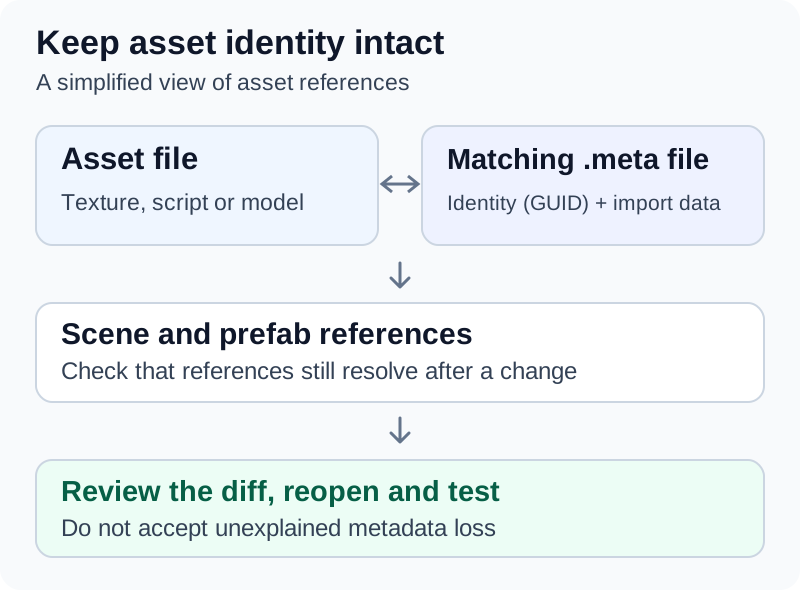
Keep an asset with its matching metadata, then inspect the affected scene and prefab references. This is a conceptual diagram, not an Editor screenshot.
For agent-assisted changes, recommended review checks are:
- Inspect added, moved and deleted files together with their
.metafiles. - Investigate unexpected metadata deletion or regeneration before accepting the diff.
- Prefer Editor operations for asset moves and prefab edits when the integration supports them.
- Reopen affected scenes and verify their assigned references.
Do not approve a large scene or prefab diff solely because the C# compiler succeeds. Ask the assistant to explain which objects and properties changed, then inspect that result in the Editor.
Keep scenes readable and mergeable
Agents and reviewers can only read a scene or prefab diff if the file is text. Unity's Asset Serialization Mode setting (in the Editor category of Project Settings) offers Mixed, Force Binary and Force Text; Force Text converts all assets, including new ones, to text and is the default.[32] The Version Control settings' default Visible meta files mode keeps .meta files available to an external version-control system.[33]
When two branches change the same scene or prefab, Unity's UnityYAMLMerge tool merges .unity, .prefab and .meta files "in a semantically correct way", falling back to an ordinary merge tool for conflicts it cannot resolve.[31] For Git, Unity documents this configuration in .git/config or the global ~/.gitconfig, after which git mergetool runs it:[31]
[merge]
tool = unityyamlmerge

[mergetool "unityyamlmerge"]
trustExitCode = false
cmd = '<path to UnityYAMLMerge>' merge -p "$BASE" "$REMOTE" "$LOCAL" "$MERGED"
The tool ships with the Editor. With a default Unity Hub installation on macOS it is at /Applications/Unity/Hub/Editor/<version>/Unity.app/Contents/Tools/UnityYAMLMerge, and on Windows at C:\Program Files\Unity\Hub\Editor\<version>\Editor\Data\Tools\UnityYAMLMerge.exe.[31] Avoid letting an agent resolve a scene conflict by hand-editing YAML when this tool is available; ask it to run the merge and then reopen the scene to check references.
Preserve serialized values during refactoring
Unity serialization has rules beyond ordinary C# compilation. For example, fields normally need to be public or marked with [SerializeField], must meet other eligibility rules and must have supported types.[13] A C# property is not interchangeable with a serialized field simply because its name and apparent purpose are similar.
When renaming a serialized field, Unity provides FormerlySerializedAsAttribute to preserve its serialized value under the new name.[14] Unity's own example renames hitpoints to health:
using UnityEngine;
using UnityEngine.Serialization;

public class MyMonster : MonoBehaviour
{
    [FormerlySerializedAs("hitpoints")]
    public int health;
}
Require the assistant to identify the migration needed for a refactor, then check representative existing prefab and scene values after saving and reopening. Avoid combining a behavior change with a broad data-format cleanup.
Keep compilation and Play mode predictable
By default Unity compiles almost all game scripts into one predefined assembly, Assembly-CSharp.dll, so changing one script recompiles all the others. Assembly Definition assets split code into separate assemblies, which Unity says can reduce unnecessary recompilation and make dependencies explicit.[34] Agents make many small edits, so this compile time adds up. Ask for assembly boundaries as a separate, reviewed change: scripts in a custom assembly are no longer added to the default assemblies and can only access scripts in other custom assemblies.[34]
Unity reloads the scripting domain on entering Play mode by default. The Enter Play Mode setting can skip domain or scene reload for faster iteration.[32] With domain reload disabled, static fields and static event subscribers keep their values between Play mode sessions, so a counter or event registration can carry over from the previous run.[35] Generated code that relies on statics needs an explicit reset; Unity's documented pattern is a method marked [RuntimeInitializeOnLoadMethod(RuntimeInitializeLoadType.SubsystemRegistration)].[35] Tell the agent which setting the project uses.
When a project opens with script compilation errors, the Editor offers Safe Mode, a reduced interface that imports only script-related assets and runs none of the project's managed code until the errors are fixed. In batch mode, Unity quits automatically on compilation errors unless the -ignoreCompilerErrors argument is passed.[36] Fixing the compile error is therefore the first task after any failed agent edit, before Play mode, tests or builds.
Implement one complete interaction
Use a small task with visible acceptance checks. The following pickup feature is an illustrative contract; the names must be replaced with the real project's names.
Task: Extend the existing Coin prefab so the player collects it once.
Keep the installed input package, movement controller and UI system.
Read the current score and restart implementations first.
Change the shared prefab only if all its instances should change.

Acceptance checks:
- Contact by the player increases the displayed score once.
- Remaining in contact does not add more points.
- A non-player object does not collect the coin.
- Restart restores the initial score and pickup layout.
- No new Console errors occur during this sequence.

List changed scripts, prefab properties and assigned references.
Run the project's relevant checks and retain the results.
Report any interaction you could not verify in Play mode.
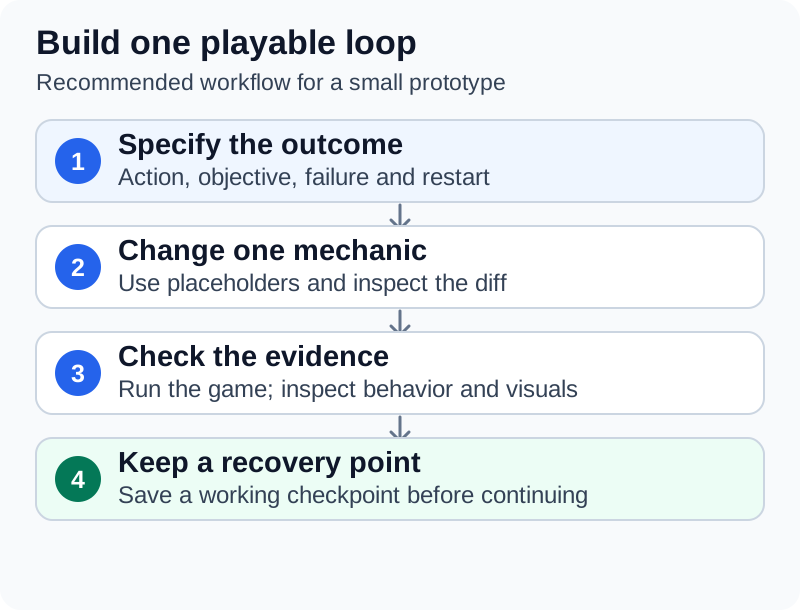
First inspect the existing feature. Then ask for a short plan naming the files and objects to change. Apply the smallest coherent implementation, wait for compilation, run the acceptance sequence and inspect the diff. Save a checkpoint when the interaction works.
A fuller loop with the tools above looks like this. It is a recommended sequence, not a documented Unity procedure:
- Commit the working state.
- Ask for the read-only report and a plan. Approve or correct the plan.
- Let the agent edit scripts, then run
unity recompileagainst the open Editor until it exits 0.[7] - Ask for a rule-level Edit Mode test where the logic allows it (for example, "collecting the same coin twice adds one point"), then run it.
- Let a bridge enter Play mode, drive the input sequence and capture the Game view, or play the sequence yourself. Read the Console log after each run.
- Review the diff, including
.meta, scene and prefab files, then commit.
For a first game, add movement, a collectible, failure, victory and restart as separate increments. Keep placeholder art until these interactions work. When replacing it, check dimensions, pivot, materials, animation and collision again; the companion guide to Creating Game Assets with AI covers that pipeline.
Separate compilation, tests and play
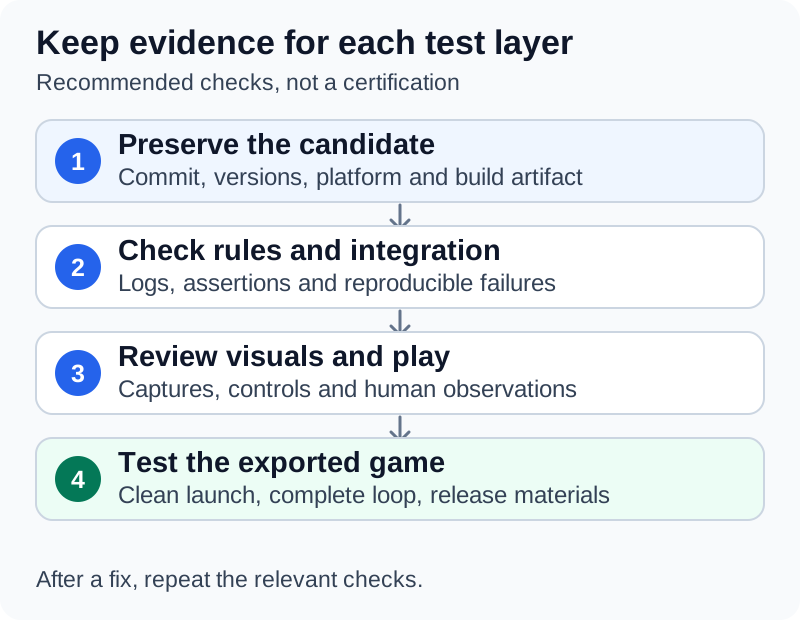
A useful verification report says which check ran, against which project state, and what it established.
| Check | Suitable question | Evidence to retain |
|---|---|---|
| Compilation | Did the changed scripts compile? | Compiler diagnostics and exit result |
| Edit Mode test | Does this rule or Editor operation produce the expected result? | Named tests and their report |
| Play Mode test | Does the behavior work with a running scene and its lifecycle? | Test report and relevant runtime logs |
| Manual or tool-driven play | Can the intended input sequence collect, win, lose and restart? | Reproduction steps and observations |
| Built-player test | Does the packaged game work outside the Editor? | Build identity, device and observed result |
Unity Test Framework documents Edit Mode tests as running in the Editor, with access to Editor code. Play Mode tests can run inside the Editor or in a standalone Player.[17] The framework's documentation says Edit Mode tests should have an assembly definition that references nunit.framework.dll and targets only the Editor platform (placing them in an Editor folder is the legacy alternative), and Play Mode tests an assembly definition that references nunit.framework.dll and the assembly containing the code under test.[17] A generated test that never appears in the test runner is not a passing test.
For the official CLI, unity recompile checks a running Editor's scripts through Pipeline; --strict also fails on warnings.[7] Its detailed documentation notes an important limitation: an Editor that starts in Safe Mode with compilation errors does not load Pipeline, so an unreachable connection does not establish that compilation passed.[8] The reference gives exit 0 for a successful compile, 6 when compilation reported errors and 7 when no Editor could be reached.[8]
The following commands illustrate two different workflows, not a script to run unconditionally. The first needs the intended Editor running with Pipeline available; the other two run against a project that is not already open in an Editor:
unity recompile --strict
unity test /absolute/path/to/MyGame --mode EditMode --output /absolute/path/to/reports/edit.xml
unity test /absolute/path/to/MyGame --mode PlayMode --output /absolute/path/to/reports/play.xml
The documented unity test route starts a separate batch Editor and refuses the same project when it is already open. For an existing Editor session, use its available Pipeline testing command after confirming the current play state.[8] Newer Pipeline packages group these commands under names such as editor status and test run; list what the connected Editor exposes with unity command rather than guessing.[26] Do not close someone else's unsaved session to satisfy an automation script.
Read the report as well as the exit status. The CLI distinguishes tests that ran and failed, exit code 8, from a run that never produced a verdict, such as a compile error, license problem or timeout.[7][8] Investigate and correct that cause before retrying. Keep separate report paths for different test runs so later commands do not overwrite the evidence. Other documented options include --filter for named tests, --report-format junit for CI systems, --retries to re-run failing tests and report flaky ones, and --rerun-failed to re-check only the failures recorded in an earlier report.[8]
Running Unity Test Framework without the CLI
The Unity Test Framework also runs from the Editor executable itself. Its documentation gives this pattern, with -batchmode recommended so the run needs no manual input:[37]
Unity -runTests -batchmode -projectPath /absolute/path/to/MyGame -testPlatform EditMode -testResults /absolute/path/to/reports/edit.xml
Replace Unity with the path to the installed Editor executable. -testPlatform accepts EditMode, PlayMode (Play Mode tests in the Editor) or a BuildTarget value, which runs Play Mode tests on a player built for that platform; with no value, tests run in Edit Mode. -testResults writes an NUnit XML file, and -testFilter and -testCategory narrow the run.[37] Do not add -quit: Unity's command-line reference says that with -runTests, -quit makes the Editor quit before in-progress tests complete.[38] The Test Framework documentation also says there is "no common definition for exit codes" from components under test, so a script should read the XML results rather than rely on the process exit code alone.[37]
Build and measure outside the Editor
Unity build profiles store platform configuration and can specify their own scene lists. They are saved as assets suitable for version control.[18] Identify the intended profile explicitly, verify its scenes, and test an export before the project grows large.
The CLI documents profile discovery and building with a selected profile.[7] Resolve the exact profile name and output path from this project; do not assume that typing unity build selects the release configuration you wanted. Preserve signing settings and credentials separately from ordinary generated code. The skill reference documents these forms:[8]
unity build /absolute/path/to/MyGame --list-profiles
unity build /absolute/path/to/MyGame --profile "Windows Release" --output-path ./Build/MyGame.exe
unity build /absolute/path/to/MyGame --target StandaloneOSX --execute-method Builder.PerformBuild --output-path ./build/output
For a built-in build, the reference says the CLI does not trust Unity's process exit code alone, because an Editor can exit 0 from a player build that its own log reports as failed; when the log carries Unity's verdict, a failed build exits 6. Each build that reaches the Editor also writes a provenance manifest recording the Editor version, packages, target, git revision and outcome.[8]
Batch builds with the Editor executable
Without the CLI, the Editor builds from the command line with -projectPath and -quit, plus the recommended -batchmode, -logFile and either -buildTarget or -activeBuildProfile. One more argument triggers the build: -build <path> for a Player build without a custom script, or -executeMethod to run a custom build script.[38][39] Unity's macOS example is:[39]
/Applications/Unity/Hub/Editor/6000.3.XXf1/Unity.app/Contents/MacOS/Unity -executeMethod BuildScripts.BuildMacOS -buildTarget StandaloneOSX -batchmode -quit -projectPath "/path/to/Project" -logFile ~/Logs/build.log
The method must be static and its script must sit in an Editor folder or Editor assembly.[38][40] Unity's documented build scripts call BuildPipeline.BuildPlayer with a BuildPlayerOptions object and check report.summary.result; the multi-platform example throws an exception on failure.[40] That matters for automation, because an exception thrown from -executeMethod makes Unity exit with return code 1, as does calling EditorApplication.Exit with a non-zero code.[38] An agent-written build method that only logs a failure can leave a CI job green.
Three other documented details commonly trip automated builds:
- Specify the build target or profile on the command line. Some APIs that switch platforms, such as
EditorUserBuildSettings.SwitchActiveBuildTargetAsync, do not work as expected in batch mode, so one invocation builds one target.[39] -nographicsturns off output logs unless-logFileis given.[38]- A project open in the Editor cannot also be opened in batch mode.[38]
Unity's CLI skill reference adds a build-specific warning: keep one MonoBehaviour per .cs file, named after its class. Several in one file can run in the Editor and Play Mode with no warning, yet the built player can crash at startup with a message that level0 "is corrupted".[8] Check scripts the agent generated before bisecting scenes.
Profile on target hardware
Profile representative gameplay on target hardware. Unity explains that Play mode shares the Editor's process and resources, which affects timing and memory measurements. Its guidance is to identify issues on a target device, iterate in the Editor where useful, then validate the change on the device again.[19] Give the assistant a capture, device, scene and input sequence before requesting optimization. Compare equivalent runs after changing one suspected cause.
Before sharing a build, follow Testing and Releasing AI-Assisted Games. Verify the full play loop in the actual distributed package, document remaining defects, and describe any generated content or runtime model dependency accurately.
Run unattended tasks carefully
Unattended runs combine the pieces above: a task file, a time and cost limit, a branch, a headless build, the test suite and a gate that stops on failure. The hub's unattended runs section covers the agent-side controls. For Unity specifically:
- Write prompts with enough detail that the plugin's clarifying questions do not stall the run.[2]
- Use
unity testexit codes as the gate: 8 means tests failed and should not be retried unchanged; a run without a verdict needs its cause fixed first.[7][8] - Use
unity buildor a build method that throws on failure, so that the process result reflects the build.[8][38] - Keep a separate checkout for batch runs, since
unity testand batch-mode Editors refuse a project that is open in another Editor.[8][38]
A developer example: Just Farm
The developer of Just Farm, posting on Reddit as u/SirKnighty, wrote that Claude (Claude Opus 5.5) in Claude Code "wrote basically all of the C#" and that Funplay MCP with Unity 6 let Claude "inspect scenes, change values, take screenshots and play the game, so it can see what it built instead of guessing". They reported a backlog of cards and a runner script that takes one card at a time "with a hard time and money budget per card", works in its own branch, "builds the game headlessly, runs tests, drives the built game to measure handling, takes screenshots, and only lands the change if everything passes".[43] The developer also said they "still made every taste call" on feel, look and fun.[43] These are the developer's own statements; the runner itself has not been published. The game's Steam page, from Dasi Games, listed a November 2026 release and discloses AI use for pre-generated visual and audio content, stating that "No generative AI is used during gameplay."[44]
Common problems and fixes
When a mechanic fails, give the assistant the reproduction sequence, first relevant Console error, stack trace, object identity and recent diff. Include a screenshot of the Inspector when a component reference or configuration matters. The table is an investigation guide, not a diagnosis.
| Symptom | Likely cause | What to check or do |
|---|---|---|
| Script exists but nothing happens | Script not attached, inactive GameObject or wrong scene | Correct scene, active GameObject and assigned component |
| Missing script component or missing texture on a material | An asset was moved or renamed outside Unity without its .meta file, so Unity generated a new ID | Restore the original .meta from version control and move assets in the Project window; otherwise reassign the references manually, as Unity's documentation describes[12] |
| Inspector values disappear after refactoring | A serialized field was renamed, or became a property or an ineligible type | Add [FormerlySerializedAs("oldName")], check serialization rules, then reopen saved assets[13][14] |
| One prefab instance behaves differently | An instance override | Compare the source prefab and that instance's overrides[11] |
| Input code compiles but controls fail | Code written for a different input backend than Active Input Handling allows | Enabled backend, bindings, device and focused game window[15] |
| New materials render magenta | Shader written for a different render pipeline | Confirm the active pipeline from Graphics and Quality settings; for Built-in materials in a URP project, back up and use Edit > Rendering > Materials > Convert Selected Materials to URP[41][42] |
| Play mode is blocked and the Editor shows a reduced interface | Compilation errors put the Editor in Safe Mode | Fix the compile errors first; Safe Mode exits automatically when they are gone[36] |
unity recompile exits 7 | No reachable Editor, possibly because it booted into Safe Mode or a sandbox blocks loopback | Treat compilation as unknown, not passed; check the Editor and retry[8] |
unity test exits 6 saying the project is "already open in a running Editor" | The batch run needs the project closed | Use the open Editor's Pipeline test command after checking it is not playing[8] |
| A batch test run ends without results | -quit passed together with -runTests | Remove -quit; -runTests quits the Editor itself[8][38] |
| Static values or event handlers carry over between Play mode runs | Domain reload disabled in Enter Play Mode settings | Reset state in a RuntimeInitializeOnLoadMethod with SubsystemRegistration[35] |
| Scene or prefab merge conflict | Two branches edited the same file | Configure UnityYAMLMerge rather than editing YAML by hand[31] |
| MCP connection drops after scripts recompile | Script recompiles and Play Mode domain reloads can interrupt an in-process server | Reconnect; Funplay offers Experimental Broker Mode for continuity[27] |
| Agent edits the wrong project | Several Editors or servers open | Use --project-path with the CLI; copy Funplay's per-project URL from that project's window[6][27] |
| Plugin skills load but do not touch the Editor | CLI missing, Pipeline package not installed or Editor closed | Install both, open the Editor and run unity status[25] |
| Play succeeds but packaged game fails | Wrong build profile or scenes, or several MonoBehaviour classes in one file | Check the selected profile, scenes and output; split classes into one file each[8][18] |
| CI build passes although the build failed | Build method logged the error instead of throwing | Throw on failure or call EditorApplication.Exit with a non-zero code; or use a built-in unity build (--profile or --target without --execute-method), which reads the log verdict[8][38] |
| Tests pass in the Editor but fail on device | Play Mode tests ran only in the Editor | Run Play Mode tests on a player with a BuildTarget value for -testPlatform[17][37] |
Ask for the smallest fix supported by the observations, then repeat both the original reproduction and a nearby case. For example, verify restart after winning as well as restart after losing.
What benchmarks show
Academic game-development benchmarks also motivate checking visual results. GameDevBench evaluates tutorial-derived game tasks and reports benefits from image and video feedback in its evaluated setups.[20] Its tasks use the Godot engine, not Unity. It does not establish that a particular assistant, Unity integration or arbitrary commercial project will meet a promised success rate.
UnityBench-Mini3D, posted to arXiv on 26 October 2026, is specific to Unity. Its authors built 77 project-level Unity tasks scored by 1,178 human-authored milestone tests covering scene structure, component configuration and runtime behavior. Across 21 models and 9 coding harnesses they report an average pass rate of 80.9% on easy tasks, 35.2% on hard tasks and 57.7% overall.[45] The authors argue that correctness in game development "depends on how engine APIs, serialized scene state, and runtime behavior interact, not on source code alone", which is the same reason this guide checks scenes, prefabs and play, not only compilation.[45]
Continue reading
- Developing Games with AI(series hub)Mentioned twice above
- Creating Game Assets with AICreating game assets with AI is a production workflow in which generated images, meshes, sound or text are reviewed, edited and imported into a game.Listed in See also
- Testing and Releasing AI-Assisted GamesTesting and releasing AI-assisted games means checking the project and the distributed build against written requirements, then preparing an accurate release.Listed in See also
- AI game developmentThis article is an overview. For a step-by-step guide to making a game with AI tools, from setup and prompts to testing and release, see Developing Games with AI.Listed in See also
- Developing Browser Games with AIDeveloping browser games with AI combines ordinary web game development with an assistant that helps plan, edit and check the project.Listed in See also
- Developing Godot Games with AIDeveloping Godot games with AI means using an assistant to help design, edit and check a Godot project while retaining the engine's scenes, scripts and resources as the working game.Listed in See also


More from See also
More to read
Topics:AI Code GenerationAI in GamingDeveloper ToolsSoftware Development
References
- ^1 ^2 ^3 ^4Unity. Unity's AI tools. Official documentation. Accessed 30 October 2026.
- ^1 ^2 ^3 ^4 ^5Unity. About Unity's plugin. Official documentation. Accessed 30 October 2026.
- ^1 ^2 ^3 ^4Unity Technologies. Unity agent plugin. Official repository README. Accessed 30 October 2026.
- ^1 ^2 ^3 ^4Unity. Unity command-line interface. Official documentation, experimental status. Accessed 30 October 2026.
- ^1 ^2 ^3 ^4Unity. Use the Unity CLI. Compatibility and installation documentation. Accessed 30 October 2026.
- ^1 ^2 ^3 ^4 ^5 ^6Unity. Unity Pipeline package. Official setup documentation. Accessed 30 October 2026.
- ^1 ^2 ^3 ^4 ^5 ^6 ^7Unity. Unity CLI reference. Official command and exit-code reference. Accessed 30 October 2026.
- ^1 ^2 ^3 ^4 ^5 ^6 ^7 ^8 ^9 ^10 ^11 ^12 ^13 ^14 ^15 ^16Unity Technologies. Run, test and build: unity-cli command reference. Official skills repository. Accessed 30 October 2026.
- ^Unity. The GameObject class. Unity 6.0 manual. Accessed 30 October 2026.
- ^Unity. Prefabs. Unity 6.0 manual. Accessed 30 October 2026.
- ^1 ^2Unity. Overriding prefab instance data. Unity 6.0 manual. Accessed 30 October 2026.
- ^1 ^2Unity. Asset metadata. Unity 6.0 manual. Accessed 30 October 2026.
- ^1 ^2Unity. Serialization rules. Unity 6.0 manual. Accessed 30 October 2026.
- ^1 ^2Unity. FormerlySerializedAsAttribute. Unity 6.0 scripting reference. Accessed 30 October 2026.
- ^1 ^2Unity. Input System installation guide. Input System 1.14.2 documentation. Accessed 30 October 2026.
- ^Unity. Choose a render pipeline. Unity 6.0 manual. Accessed 30 October 2026.
- ^1 ^2 ^3Unity. Edit Mode vs. Play Mode tests. Test Framework 1.4.6 documentation. Accessed 30 October 2026.
- ^1 ^2Unity. Introduction to build profiles. Unity 6.0 manual. Accessed 30 October 2026.
- ^Unity. Collect performance data introduction. Unity 6.0 manual. Accessed 30 October 2026.
- ^Chi, Wayne, et al. GameDevBench: Evaluating Agentic Capabilities Through Game Development. arXiv preprint, version 2, 30 June 2026.
- ^1 ^2Unity. The in-editor AI Assistant: Ask, Plan, and Agent modes explained. Unity blog, 6 May 2026.
- ^1 ^2 ^3 ^4 ^5 ^6 ^7 ^8 ^9Unity Technologies. Unity's AI tools. Product page and FAQ, including the "Unity AI" brand retirement, pricing and data use. Accessed 30 October 2026.
- ^1 ^2Unity. About Unity Credits. Official documentation; credit figures are representative examples. Accessed 30 October 2026.
- ^1 ^2 ^3 ^4 ^5 ^6Unity. Unity CLI as the replacement for the in-Editor MCP server. Official documentation. Accessed 30 October 2026.
- ^1 ^2 ^3 ^4 ^5 ^6Unity. Unity's plugin for Claude Code. Official documentation, including limitations and troubleshooting. Accessed 30 October 2026.
- ^1 ^2 ^3 ^4Unity. Unity CLI release notes. Official documentation; release 1.0.0-beta.14, 21 October 2026. Accessed 30 October 2026.
- ^1 ^2 ^3 ^4 ^5 ^6 ^7FunplayAI. Funplay MCP for Unity. GitHub README (version 0.7.3), MIT license. Accessed 30 October 2026.
- ^1 ^2CoplayDev. MCP for Unity. GitHub README (v10.0.0), MIT license. Accessed 30 October 2026.
- ^1 ^2 ^3Ivan Murzak. Unity-MCP. GitHub README, Apache-2.0 license. Accessed 30 October 2026.
- ^Anthropic. Connect Claude Code to tools via MCP. Claude Code documentation. Accessed 30 October 2026.
- ^1 ^2 ^3 ^4Unity. Smart merge. Unity 6.0 manual (UnityYAMLMerge). Accessed 30 October 2026.
- ^1 ^2 ^3Unity. Editor project settings reference. Unity 6.0 manual (Asset Serialization and Enter Play Mode Settings). Accessed 30 October 2026.
- ^Unity. Version Control project settings reference. Unity 6.0 manual. Accessed 30 October 2026.
- ^1 ^2Unity. Introduction to assemblies in Unity. Unity 6.0 manual. Accessed 30 October 2026.
- ^1 ^2 ^3Unity. Enter Play mode with domain reload disabled. Unity 6.0 manual. Accessed 30 October 2026.
- ^1 ^2Unity. Fix compilation errors in Safe Mode. Unity 6.0 manual. Accessed 30 October 2026.
- ^1 ^2 ^3 ^4Unity. Running tests from the command line. Test Framework 1.4.6 documentation. Accessed 30 October 2026.
- ^1 ^2 ^3 ^4 ^5 ^6 ^7 ^8 ^9 ^10Unity. Unity Editor command line arguments reference. Unity 6.0 manual. Accessed 30 October 2026.
- ^1 ^2 ^3Unity. Create a build from the command line. Unity 6.0 manual. Accessed 30 October 2026.
- ^1 ^2Unity. Create a custom build script. Unity 6.0 manual. Accessed 30 October 2026.
- ^1 ^2Unity. Change or detect the active render pipeline. Unity 6.0 manual. Accessed 30 October 2026.
- ^Unity. Convert assets using the Render Pipeline Converter. Unity 6.0 manual (URP). Accessed 30 October 2026.
- ^1 ^2u/SirKnighty. My game got removed from gamedev subs for using AI, so here's exactly how I made it. r/accelerate, Reddit, developer account. Checked 30 October 2026.
- ^Dasi Games. Just Farm. Steam store page, including its AI Generated Content Disclosure. Accessed 30 October 2026.
- ^1 ^2Zhou, Yijun, et al. UnityBench-Mini3D: Evaluating LLM Agents for 3D Game Development in Unity. arXiv preprint 2610.35980, 26 October 2026.
Improve this article
Add missing citations, update stale details, or write a clearer explanation. Anyone can edit: changes go live when you publish, and every edit is checked by an editor.
3 revisions · v3 · 7,261 words · full history
Fact-checks are independent of edits: a reviewer re-verifies the article against its sources and stamps the date. How we verify
Research and drafting on this wiki are AI-assisted, under named human editorial standards. How AI is used here
Reviewer note: xg28 phase 3 independent verification (51 sources, ~190 claims incl. every install command, CLI flag, menu path, exit code and price); 4 minor fixes applied pre-publish
Cite this page: AI Wiki. "Developing Unity Games with AI." aiwiki.ai, updated 30 Oct 2026, fact-checked 30 Oct 2026. CC BY 4.0. https://aiwiki.ai/wiki/developing_unity_games_with_ai