

Developing Unreal Engine Games with AI
Developing Unreal Engine games with AI means using assistants to help with source code, Blueprint work, editor operations or asset production while validating the result in the actual project. Unreal supports both C++ and Blueprint visual scripting, including combinations where C++ exposes systems that Blueprints extend.[1][2] The appropriate assistant workflow depends on which of these representations it can inspect and change.
This guide is part of the Developing Games with AI series. It follows an existing Unreal project through a bounded feature, debugging, tests and packaging. The workflow and prompts are recommendations, not a tested project or a claim that an assistant can autonomously produce a finished game. Official documentation was checked on 30 October 2026; the Epic documentation pages cited here are the Unreal Engine 5.8 versions. Check the installed engine version before applying a command or integration. Epic introduced its Experimental Model Context Protocol (MCP) plugin in 5.8 and describes 5.8 as the last planned major release of Unreal Engine 5, while reserving the option of a 5.9.[28] Asset generation and release checks have their own guides in the series, linked from the relevant sections below.
Ways an assistant can reach an Unreal project
An assistant's usefulness depends on what it can observe and change. The routes below are separate and can be combined; each row's limits come from its own documentation.
| Route | What it gives the assistant | Documented limits |
|---|---|---|
| File access only (a coding agent such as Claude Code or Codex in the repository) | C++ source, .ini configuration, Python scripts and build commands | .uasset and .umap files are binary and cannot be merged as text[5] |
| Epic's Unreal MCP plugin | Editor tools from enabled toolsets, such as spawning actors, configuring lighting, creating material instances, inspecting Slate widgets and running automation tests | Experimental; local HTTP with no authentication; tool calls run serially on the game thread[7] |
Community chongdashu/unreal-mcp | Actor management, Blueprint class creation and Blueprint node-graph editing through a C++ plugin and Python server | Experimental; the README says production use is not recommended[8] |
Python Editor Script Plugin (unreal module) | Scripted editor and asset operations, from the editor console or the command line | Editor only; not available in Play In Editor, Standalone Game or a cooked executable[9] |
| Epic's in-editor AI assistant (Unreal Engine 5.7 and later) | Answers, generated C++ code and step-by-step guidance in a panel inside the Editor | Epic describes it as guidance on Unreal Engine inside the Editor; check that it is present in the installed version[27] |
Command-line tools (UnrealEditor-Cmd, RunUAT) | Automation tests, Python commandlets, cooking and packaging without manual clicks | Flags and paths depend on the engine version and platform[21][22][23] |
Establish a project baseline
Open the project without making generated changes. Run the intended map, confirm the existing controls, save a source-control checkpoint and record the project state. For a new project, choose a template appropriate to the intended interaction, then verify that the unmodified template runs before asking an agent to extend it.
Give the assistant a short, read-only inspection task:
Inspect this Unreal project without modifying it.
Report the exact engine version, enabled project plugins, relevant
C++ modules, startup map, GameMode and player class.
Identify whether the requested feature belongs in a Blueprint,
C++ class, or both, and name the existing implementation to extend.
Report the current test and packaging procedure.
Distinguish inspected facts from unknowns. Do not install plugins,
upgrade the engine or reorganize Content.
| Record | Why the agent needs it |
|---|---|
| Exact engine version and installation type | Prevents assuming that a feature in another release is available |
| Target platform and required SDKs | Defines what must be packaged and tested |
| Map, player and GameMode configuration | Identifies the running gameplay setup |
| Existing C++ and Blueprint ownership | Keeps changes in the project's established structure |
| Input Actions and Mapping Contexts | Locates the actual control bindings |
| Asset paths and source-control state | Defines the scope of edits and recovery |
| Test names, packaging settings and output path | Gives the assistant observable completion criteria |
Unreal-specific project instructions
The hub's project instructions section explains how CLAUDE.md and AGENTS.md files are discovered. For an Unreal project, the file should record the rules that a file-editing agent cannot infer from the source tree. The following is an illustrative template, not an official format; most rules restate a documented constraint cited elsewhere in this guide (closing the Editor for header or reflection changes is this guide's own conservative recommendation), and the bracketed values must be replaced with the project's own:
Engine: Unreal Engine [exact version], [installed | source] build
Project: [Name].uproject, primary module [Name], startup map [path]

Code and assets:
- C++ lives in Source/[Module]/. Blueprints live in Content/[folders].
- Never edit .uasset or .umap files as text or bytes. Change assets
  through the editor, Unreal MCP tools or the unreal Python API, then
  list every asset changed.
- Never move or rename asset files with shell or Python file commands;
  use the editor or unreal.EditorAssetLibrary.
- Renaming a reflected C++ class, property or function needs a matching
  [CoreRedirects] entry in Config/DefaultEngine.ini. Ask first.

Building:
- Function-body changes with the editor open: Live Coding (Ctrl+Alt+F11).
- Header or reflection changes: ask me to close the editor, then run
  the project's normal build.

Testing:
- Automation tests: [the project's exact command]
- Report which tests ran and their results, not only "tests passed".

Unreal MCP:
- One tool call at a time; calls run serially on the game thread.
- Read a toolset's schema with describe_toolset before calling it.
The asset-file rule follows Epic's Python guidance, which warns against moving assets with modules such as os.rename or shutil.move because projects contain internal references that can break.[9] The redirect rule follows Epic's Core Redirects documentation.[24] The Live Coding shortcut and the MCP rules follow the Live Coding and Unreal MCP pages.[12][7] Closing the Editor for header changes is a conservative choice rather than an Epic requirement: Epic's Live Coding page says Object Reinstancing lets larger structural changes take effect live.[12]
Epic's source-control workflow exposes asset checkout and submission in the Content Browser.[3] Use the repository's existing collaboration method. A branch alone does not coordinate simultaneous edits to a shared binary asset: assign ownership or use the locking facilities supported by the team's source-control system.
Decide what belongs in Blueprint and C++
Blueprint Classes can define reusable actors, while a Level Blueprint handles map-specific events.[1][4] For a door reused across several maps, first investigate the door's reusable class. For a one-off sequence tied to a particular level, investigate that level's existing logic. These are starting questions, not a rule that every project must share the same architecture.
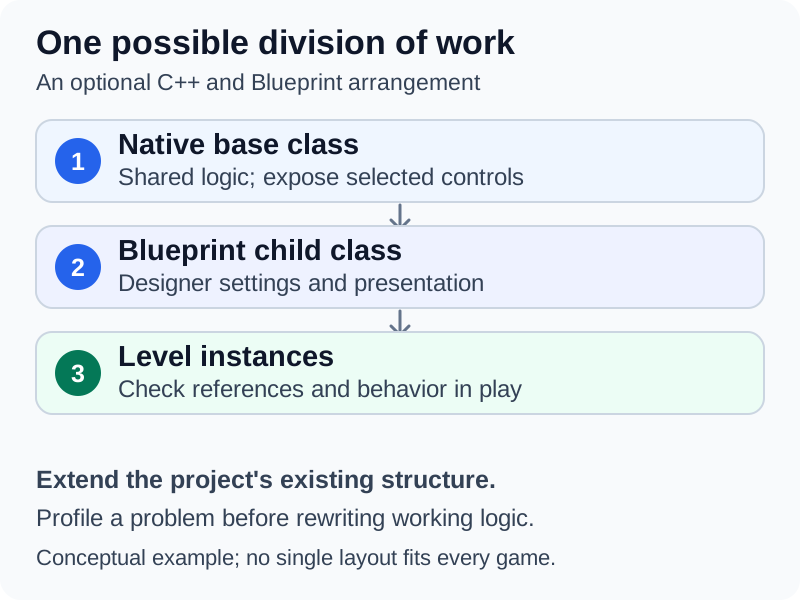
One possible architecture combines a native base, a visual child class and placed instances. It is an illustrative design, not a Blueprint graph or a tested project.
Epic says there is no single right choice between Blueprint and C++ and recommends combining them by using C++ as the foundation and building Blueprint classes on top of it. It also recommends profiling a performance problem with Unreal Insights before converting Blueprint code to C++.[2] Ask for a small change in the current representation; do not request a full rewrite into C++ merely because a model finds text easier to edit.
| Kind of request | A useful boundary to specify |
|---|---|
| New reusable interaction | Which Blueprint Class or C++ base class owns it |
| Parameter or presentation change | Class default, child Blueprint or placed instance |
| Native system with designer controls | Which properties and functions should be exposed to Blueprint |
| Map-specific event | Which actors and level own the references |
| Refactor | Existing asset references and behavior that must survive |
A text explanation of a Blueprint graph is not an edited graph. Require the assistant to say whether it changed the asset through an editor tool, created source code, or only supplied instructions for a person to follow. Inspect the resulting graph and compile it in the Editor when Blueprint work is involved.
Keep binary assets under editor control
Epic documents .uasset and .umap files as binary assets that cannot be merged using an ordinary text merge tool.[5] Do not ask a file-editing agent to patch their raw bytes as if they were C++ files. Use the Content Browser, Blueprint Editor or verified editor APIs for asset changes, and review what those operations produced.
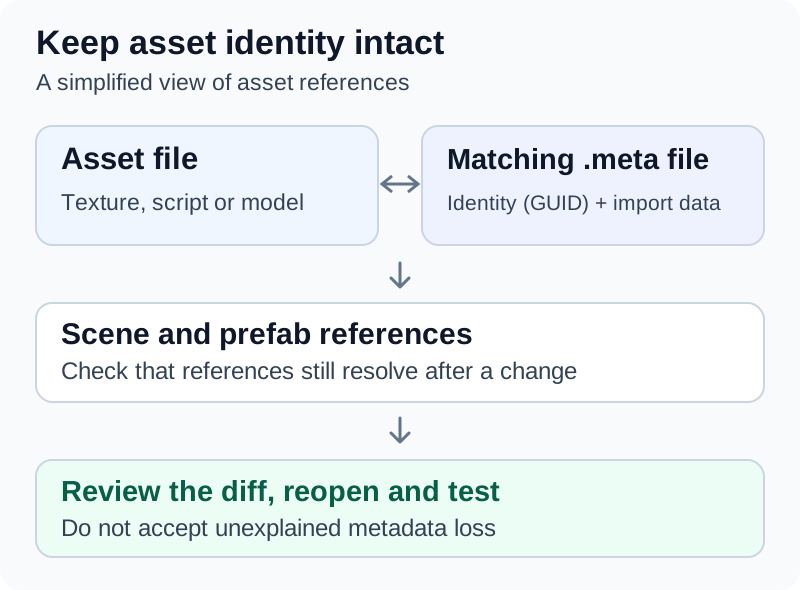
For each asset-bearing task, request a list of the exact assets changed and their purpose. Check for unrelated map saves, new dependencies and deleted assets before accepting the revision. Save changes deliberately, then reopen representative content to ensure that references and configuration survived.
Review Blueprint changes with the Diff Tool
Because a text diff of a Blueprint asset is not useful, Epic provides the UE Diff Tool. It compares an asset with an earlier source-control revision of itself, or two different assets, and currently supports Blueprints and Blueprint-adjacent types. To compare local changes with the current source-control revision, right-click the asset in the Content Browser and choose Source Control > Diff Against Depot; from the Blueprint Editor, use Diff > Depot. In graph views, red marks something missing on the right, green an addition and cyan a change.[25] Use it to check that an agent's Blueprint edit touched only the intended nodes before submitting it.
Lock shared binary files
Epic's Perforce documentation explains that because assets cannot be merged, the Editor locks a file when a user checks it out so that others cannot edit it concurrently.[5] Teams using Git can get a comparable workflow from Git LFS: git lfs track --lockable marks matching paths as lockable, which makes them read-only in the working copy until locked, and git lfs lock <path> locks a file on the LFS server, after which Git LFS verifies that pushes do not modify files locked by other users.[30][31] Whichever system is used, an agent should not edit a shared map or Blueprint that someone else has checked out or locked. At State of Unreal 2026, Epic also announced Lore, an open-source version control system it says is designed for projects combining code with large binary assets.[28]
Moves, renames and redirectors
Moving or renaming an Unreal asset leaves a redirector so unloaded packages can resolve its new location. Fixing redirectors can resave referencing packages.[6] Treat a large rename or redirector cleanup as a separate reviewable change, rather than incidental cleanup during a gameplay fix. Do not force-delete a referenced asset simply to silence an error. Epic documents a commandlet for project-wide cleanup that checks files out of source control before fixing them:[6]
UnrealEditor.exe <GameName or uproject> -run=ResavePackages -fixupredirects -autocheckout -projectonly -unattended
Use placeholder meshes and materials while the interaction is being built. When importing finished content, check it in the intended level, lighting and gameplay camera. Creating Game Assets with AI covers generation, cleanup and import checks separately.
Give an agent editor access only where useful
File access can be sufficient for a narrow C++ change, with a person operating the Editor. An editor bridge adds operations the assistant can call directly. Confirm the actual tool list before promising that it can edit any Blueprint graph, run every test or play the game.
Epic's Unreal MCP
Epic's Unreal MCP documentation for Unreal Engine 5.8 labels the feature Experimental and incomplete. It embeds an MCP server in the Editor. Toolsets are supplied separately; the documented setup enables Unreal MCP and All Toolsets, followed by an Editor restart.[7] Epic announced the plugin at State of Unreal 2026 as a way to connect models such as Claude or Gemini directly to Unreal projects.[28]
The documented setup, step by step:[7]
- Open Edit > Plugins, enable Unreal MCP and All Toolsets (both depend on the Toolset Registry plugin, which is enabled automatically) and restart the Editor.
- Either turn on Auto Start Server under Edit > Editor Preferences > General > Model Context Protocol, or start the server for one session from the Editor console.
- Generate the client configuration from the Editor console. The supported client names are
ClaudeCode,Cursor,VSCode,Gemini,CodexandAll. - Launch the agent from the project or workspace root where the configuration was written, after the Editor has started.
The documented manual start and Claude Code configuration commands, entered in the Editor console, are:[7]
ModelContextProtocol.StartServer
ModelContextProtocol.GenerateClientConfig ClaudeCode
For Claude Code, the command writes this .mcp.json entry; JSON configurations are merged with existing entries, while the Codex TOML file is write-once and a stale one must be removed by hand:[7]
{
  "mcpServers": {
    "unreal-mcp": {
      "type": "http",
      "url": "http://127.0.0.1:8000/mcp"
    }
  }
}
Start the agent from the project or workspace root where the configuration was generated. The default endpoint is http://127.0.0.1:8000/mcp. Begin by asking which actors are selected. Epic warns that the server has no authentication and is intended for local use. Tool calls execute serially on the game thread, so avoid overlapping calls. Available operations depend on enabled toolsets; inspect their schemas before editing.[7]
By default the plugin runs in tool-search mode: instead of every tool schema, tools/list returns three meta-tools, list_toolsets, describe_toolset and call_tool, and the agent discovers toolsets on demand. Turning off the Enable Tool Search preference (on by default) makes tools/list advertise every tool, at the cost of a much larger initial schema.[7] An agent that reports seeing only three tools is therefore working as designed.
| Setting or command | Documented purpose[7] |
|---|---|
ModelContextProtocol.StartServer [port] | Start the server, optionally on another port |
ModelContextProtocol.StopServer | Stop the server and close all sessions |
ModelContextProtocol.RefreshTools | Re-poll tool providers after authoring or hot-reloading a toolset |
-ModelContextProtocolStartServer | Command-line flag that starts the server during Editor or commandlet startup |
-ModelContextProtocolPort=N | Command-line flag that overrides the listening port |
Log LogModelContextProtocol Verbose | Raise the plugin's log verbosity in the Editor console |
The shipped Python toolsets include SceneTools, ActorTools, MaterialInstanceTools and ObjectTools. Projects can add their own tools in Python (a class deriving from unreal.ToolsetDefinition, with each tool marked by the @toolset_registry.tool_call decorator) or in C++ (UFUNCTION(meta = (AICallable)) methods on a UToolsetDefinition subclass). Epic's documentation mentions a create-toolset skill in an unreal-mcp Claude Code plugin that scaffolds either kind.[7] For troubleshooting, Epic recommends the Output Log, the LogModelContextProtocol category and the MCP Inspector (npx @modelcontextprotocol/inspector) pointed at the running server over Streamable HTTP.[7]
Epic also documents an optional Terminal plugin that runs the agent inside an Editor panel. Its startup commands set TERM=xterm-256color (without which CLIs such as claude may print raw escape sequences) and cd to the folder holding .mcp.json: the project root in installed builds, the workspace root in source builds.[7]
Community integrations
The separate chongdashu/unreal-mcp project uses a C++ plugin and Python MCP server. Its README lists Unreal Engine 5.5 or newer and Python 3.12 or newer, labels the project experimental and discourages production use.[8] Those are that project's requirements and warnings, not evidence that Epic's plugin is present in an older engine. Its README configures clients with a uv command whose --directory argument points at the project's Python folder, and lists Blueprint node-graph operations such as adding event nodes, function calls and variables.[8]
Choose one understood route for the task. Review the installed code and configuration, work from a recoverable copy and avoid exposing an editor-control service outside its documented local environment. A successful connection establishes access, not correctness.
Epic's in-editor AI assistant
Unreal Engine 5.7, released on 12 November 2025, introduced an AI assistant in the Editor. Epic describes a slide-out panel for asking questions, generating C++ code or following step-by-step guidance, and says that pressing F1 over an interface element starts a conversation about it.[27] It suits questions about an unfamiliar Editor feature. Code it generates still needs the same compile, test and review steps as code from any other assistant.
Python editor automation
Epic's Python environment supports editor and asset-production automation. Its documentation explicitly distinguishes that environment from gameplay scripting: Python is not available as a runtime gameplay language in a cooked game.[9] An agent may generate a Python script that changes editor assets, but the shipped mechanic still needs its appropriate runtime implementation.
Python support comes from the Python Editor Script Plugin, enabled per project under Edit > Plugins > Scripting; Epic also recommends the Editor Scripting Utilities plugin. The plugin embeds Python 3.11.8, and the API lives in the unreal module, which reflects whatever is exposed to Blueprints, including the project's own Blueprint-exposed C++.[9] Epic documents these ways to run a script:[9]
| Method | Documented form | Notes |
|---|---|---|
| Editor console in Cmd mode | py "C:\MyScripts\my_script.py" | Epic advises against passing this through the ExecCmd launch parameter, because the script can run before the Editor is ready |
| Full Editor from the command line | UnrealEditor-Cmd.exe "C:\projects\MyProject.uproject" -ExecutePythonScript="c:\my_script.py" | Loads the project and startup level, runs the script, then shuts down; requires Editor Scripting Utilities |
| Commandlet | UnrealEditor-Cmd.exe "C:\projects\MyProject.uproject" -run=pythonscript -script="c:\\my_script.py" | Fast and can run headless, but does not load levels automatically |
| Startup scripts | Project Settings > Plugins > Python > Startup scripts, or an init_unreal.py file in a configured Python path | Startup scripts run each time the project opens, after the default level loads |
Before executing generated automation, require it to identify the affected assets and save behavior. Prefer a read-only inventory before a bulk operation. The following illustrative script only reads (replace the folder path with a real one): it lists the assets under one folder and how many packages reference each, using EditorAssetLibrary.list_assets and find_package_referencers_for_asset from the 5.8 Python API reference.[34]
import unreal

for path in unreal.EditorAssetLibrary.list_assets("/Game/Blueprints/Doors", recursive=True):
    refs = unreal.EditorAssetLibrary.find_package_referencers_for_asset(path)
    unreal.log(f"{path}: {len(refs)} referencing packages")
Epic recommends set_editor_property() over direct attribute assignment, because it runs the same pre- and post-edit code as a change in the Details panel, and unreal.ScopedEditorTransaction to group a script's changes into one undoable entry.[9] Keep a record of what ran and inspect a small result before applying the same operation across a large content folder.
Build one interaction with a clear contract
The following is an illustrative task for a door interaction. Replace the names and conditions with the project's existing design.
Task: Add a reusable locked-door interaction to the existing Door class.
Inspect the player interaction system and door implementation first.
Keep current input actions, movement, art and level layout.
Use the existing interaction path rather than a second input binding.

Rules:
- Without the key, interacting leaves the door closed and shows feedback.
- With the key, one interaction opens the door.
- Repeated input must not create overlapping opening operations.
- Restarting the test map restores its initial state.

Acceptance checks:
- Demonstrate the no-key and key-present paths in the test map.
- Demonstrate repeated input and restart.
- Check collision and feedback from the gameplay camera.
- Compile changed Blueprints and the applicable C++ target.
- Record errors, changed assets and anything not verified.
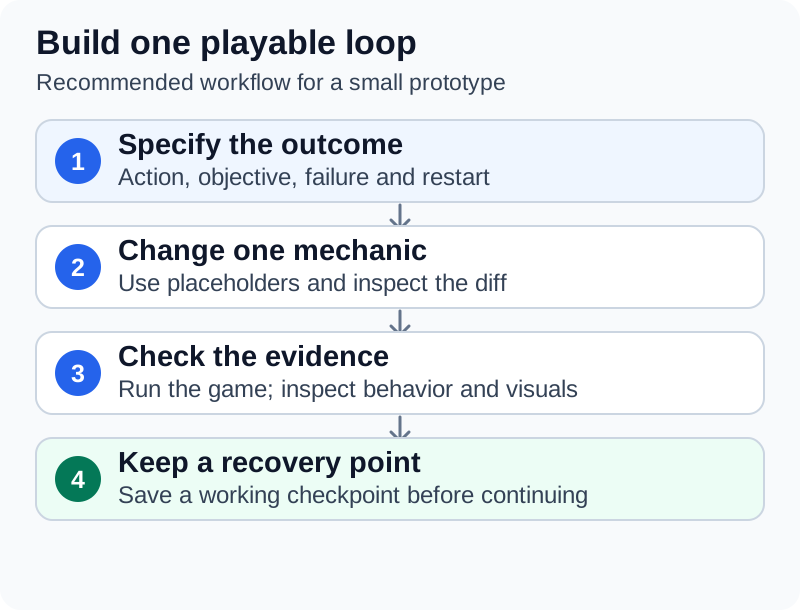
Use this as a sequence of small changes. First validate the current interaction path. Then implement the lock state, test both branches, add feedback and test restart. Keep optional animation and visual improvements separate until the basic state transition works.
For Enhanced Input projects, Input Actions are assets and Mapping Contexts describe bindings and priorities; contexts can change at runtime.[10] Check which context the player actually has when the interaction fails. Do not assume that adding an action asset alone makes the input reach the intended actor.
The final report should identify whether the implementation changed C++, Blueprint logic, class defaults or placed instances. Include the test map and reproduction sequence so another person can repeat the check without interpreting the chat history.
Compile the representation that changed
A C++ compilation, Blueprint compilation and successful Play In Editor session answer different questions. A full report should identify which occurred rather than saying only that the project builds.
Unreal Build Tool configurations combine a build state with a target. Epic distinguishes an Editor target from a Game executable requiring cooked content, and distinguishes Development, DebugGame, Shipping and other states.[11] Use the target and configuration that match the actual check. Building an Editor target is not proof that the final packaged game works.
Live Coding and the agent's build loop
Live Coding can patch C++ binaries while the engine runs. Its documentation notes that constructor defaults changed in a .cpp file do not update existing instances, and that structural changes involve object reinstancing and associated lifetime concerns.[12] Inspect the relevant defaults and instances instead of interpreting an unchanged scene as proof that the new code was ignored.
Live Coding is enabled by default and is started with Ctrl+Alt+F11 from the IDE or the Editor; it works in the Editor, in Play In Editor and with a packaged desktop build attached to the Editor, but not on consoles or mobile devices. Its settings are under Editor Preferences > General > Live Coding, where disabling it falls back to Hot Reload.[12] Because the trigger is a keyboard shortcut, decide in advance whether a person or a tool triggers each patch. When an agent runs a separate command-line or IDE build while a Live Coding session is active, Unreal Build Tool refuses with an error that reads, in an April 2023 log posted to Epic's forums: "Unable to build while Live Coding is active. Exit the editor and game, or press Ctrl+Alt+F11 if iterating on code in the editor or game".[32] Either follow that message or close the Editor before the agent's build.
For broad reflected-type or module changes, plan a checkpoint, close the Editor when appropriate, perform the project's normal rebuild and reopen it to verify the result. This is a recovery and validation recommendation, not a claim that every header edit always requires a restart. Epic's MCP tool-authoring instructions specifically require a full Editor restart when adding a new UFUNCTION to a C++ tool.[7]
Epic says Unreal Build Tool's build process runs independently of IDE project files such as .sln files, which exist for editing.[35] Its guide for source builds still recommends regenerating project files after adding or removing source files, warns that skipping regeneration after syncing code changes will most likely cause problems when compiling or running, and does not recommend editing project files by hand.[33]
Renaming reflected C++ types
Renaming a class, property, function, struct or enum that existing assets use can make Unreal stop recognizing those assets; Epic warns this can cause considerable data loss. Core Redirects remap the old names at load time. They go in the [CoreRedirects] section of the project's DefaultEngine.ini (or a plugin's own .ini), and class and struct names drop their A, U or F prefix.[24] Epic's examples include:
[CoreRedirects]
+ClassRedirects=(OldName="/Script/MyModule.MyOldClass",NewName="/Script/MyModule.MyNewClass")
+FunctionRedirects=(OldName="MyActor.OldFunction",NewName="NewFunction")
+PropertyRedirects=(OldName="MyActor.OldFloatProperty",NewName="NewFloatProperty")
An agent asked to "clean up names" in C++ should either leave reflected names alone or add the matching redirect in the same change, then reopen the Blueprints that used them.
Debug with the right object and state
Epic's Blueprint Debugger supports breakpoints and inspection during Play In Editor or Simulate In Editor.[13] Choose the relevant object instance and reproduce the problem. An event that fires on a different instance or in an unexpected world can look like a broken graph when the underlying logic is not what is running.
| Observation | Evidence to collect before changing code |
|---|---|
| Interaction never starts | Active input context, controlled pawn and intended target actor |
| Door works in one map only | Class implementation versus map-specific references[4] |
| A new default does not affect existing instances | Saved asset or instance values and Live Coding limitations[12] |
| Graph has the expected nodes but behavior differs | Debugged instance, execution path and pin values[13] |
| Moved asset cannot be found | Reference path, redirectors and recent rename operation[6] |
| Editor bridge fails | Plugin state, advertised tools, connection configuration and Editor log[7] |
| Editor run works but package fails | Cook/package log, included content, startup map and target configuration |
Separate the first useful error from later failures caused by it. Ask for the smallest change supported by the evidence, then replay the original sequence. For the door example, test both missing-key and valid-key paths again after changing either one.
Use tests and screenshots for specific claims
Unreal's Automation Test Framework supports unit, feature and content-stress testing, with interfaces for functional tests and screenshot comparison.[14] Use the facilities already present in the project. Creating a test file or enabling a plugin is setup, not a passing result. The framework's documentation also lists Editor tests written in Python or Blueprint, the Automation Spec for behavior-driven tests, and the Automation Driver.[14]
A Functional Test Actor can perform level-based checks. Epic documents setup, readiness and completion hooks, including explicit completion and cleanup.[15] For the door example, a useful functional test would establish the initial state, trigger the defined interaction, inspect the resulting door state and clean up anything it created. Define what should fail and a stopping condition before letting an assistant implement the test. Epic's Functional Test class exposes PrepareTest, IsReady, OnTestStart (which must end by calling FinishTest) and OnTestFinished for cleanup, plus RegisterAutoDestroyActor for actors spawned during the test.[15]
The Automation Driver simulates keyboard and mouse input at the platform layer for functional tests. It is disabled by default and enabled from C++ with IAutomationDriverModule::Get().Enable(); its synchronous API cannot be called from the game thread.[26]
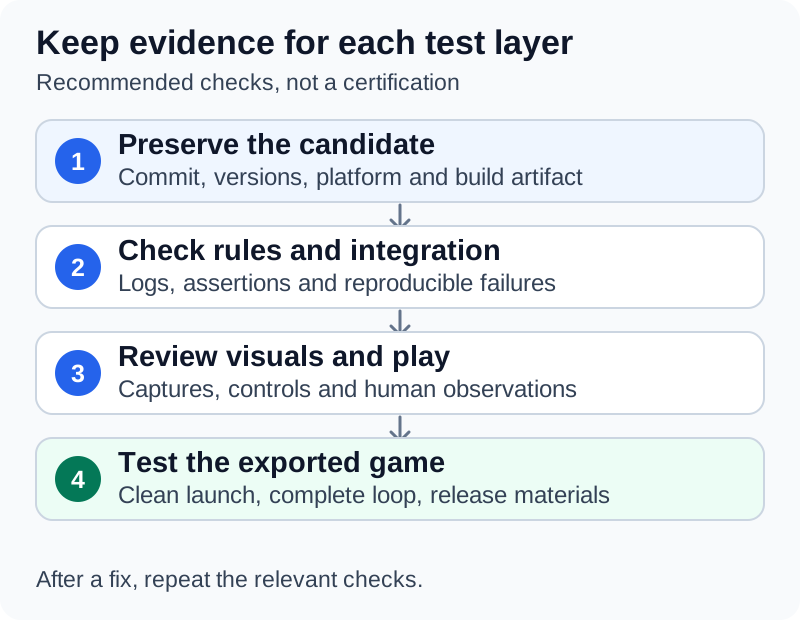
The Automation System User Guide explains selecting an active session, enabling appropriate test plugins and exporting results.[16] Verify that the expected tests were discovered and actually ran. Preserve the test names, result and relevant warnings with the revision.
Running tests without the Editor UI
In the Editor, tests run from Tools > Test Automation after enabling the Functional Testing Editor plugin and any plugins that contain tests.[22] For an agent, the command line is more useful. Epic documents these arguments for the Editor or Client executable:[22]
| Argument | Effect |
|---|---|
-ExecCmds="Automation RunTest Test1+Test2;Quit" | Runs Test1 and Test2, then closes the executable |
-ExecCmds="Automation RunTest MySet.MySubSet;Quit" | Runs all tests under that section |
-ExecCmds="Automation RunTest Group:MyGroup;Quit" | Runs all tests in a configured group |
-ReportExportPath="<output path>" | Writes results as JSON with related HTML files |
-ResumeRunTest | With -ReportExportPath, resumes from the first test not yet run after a critical failure |
An illustrative invocation, with a hypothetical project path and test prefix, combines them:
UnrealEditor-Cmd.exe "C:\Projects\MyGame\MyGame.uproject" -ExecCmds="Automation RunTest MyGame.Door;Quit" -ReportExportPath="C:\Projects\MyGame\Saved\AutomationReport"
Epic's documented console command is Automation RunTest; check any RunTests spelling or extra flag an assistant proposes against the installed engine. Ask the agent to read the exported JSON and report which tests were found, run, passed and failed.
For build-machine runs, Epic's Gauntlet framework wraps these tests in the RunUnreal command of the Unreal Automation Tool. Its documented Editor and packaged-game forms are:[21]
RunUAT.bat RunUnreal -test=UE.EditorAutomation -runtest=Mytest.one -project=<path to uproject> -build=editor
RunUAT.bat RunUnreal -test=UE.TargetAutomation -runtest=Mytest.one -project=<path to uproject> -build=<path to packaged game>
Gauntlet also provides UE.BootTest and UE.EditorBootTest, which start the Client or Editor and exit after initialization, and -ResumeOnCriticalFailure, which resumes after a crash up to three times.[21] A boot test is a cheap first check that an agent's change did not break startup.
Screenshots and research on visual feedback
Screenshot comparison checks rendering against an approved reference image. Epic documents resolution, delay and tolerance controls because rendering can introduce variation.[17] Choose a stable camera and state, inspect the first baseline manually and review differences before replacing it. A screenshot matching a baseline cannot prove that the door opens, collision works or the interaction is enjoyable.
Research provides a reason to include visual evidence: GameDevBench evaluates agents on 333 game-development tasks built in Godot and reports gains from image- and video-based feedback (GPT-5.4 rose from 41.1% to 52.0% with visual feedback).[18] It does not certify a particular Unreal integration or remove the need for human playtesting.
Cook, package and test the delivered game
Packaging involves several distinct operations. Building compiles code, cooking prepares content for a target platform, staging gathers the output and packaging produces the distributable files.[19] A green C++ build therefore leaves content and distribution checks outstanding.
Record the intended platform, configuration, startup map and output location. Use the project's working Editor packaging procedure or established automation command. Avoid accepting a generated BuildCookRun invocation without checking it against the installed engine, platform requirements and project settings.
The Unreal Automation Tool runs the packaging pipeline through its BuildCookRun command, using RunUAT.bat on Windows or RunUAT.sh on Mac and Linux, both in Engine/Build/BatchFiles.[23] Epic's Gauntlet guide gives this example, run from that folder, for its Lyra sample:[21]
RunUAT BuildCookRun -project=Samples/Games/Lyra/Lyra.uproject -platform=Win64 -configuration=Development -build -cook -pak -stage
Because hand-written argument lists are error-prone, Epic recommends creating a Custom Launch Profile in the Project Launcher (Platforms > Project Launcher). When the profile runs, the Output Log shows the generated command line, and the text from BuildCookRun onward can be passed to RunUAT.bat.[23] Have a person run the profile once, then give the agent the logged command rather than asking it to compose one.
Epic's packaging tutorial checks the Game Default Map and tests the resulting executable. It also explains that the final configuration affects available debugging controls.[19] Confirm that an ordinary player can start, interact, restart and exit using the controls actually provided in the package.
| Release-candidate check | What to record |
|---|---|
| Package succeeds | Target, configuration, revision and output path |
| Startup is correct | Actual first map and player state |
| Mechanic works | The same acceptance sequence used during development |
| Referenced assets load | Visible models, materials, audio and feedback in relevant states |
| Performance is acceptable | Device, scene, settings and comparable captures |
| Exit and recovery work | Normal exit, restart and relevant save behavior |
Unreal Insights captures and analyzes project traces, including timing and memory information.[20] Provide the assistant a representative capture before requesting an optimization. Measure the same scenario afterwards; a simpler-looking graph is not performance evidence.
For store requirements, generated-content records and the final release checklist, continue with Testing and Releasing AI-Assisted Games. Keep development assistance separate from any model service that the game itself calls during play. Epic notes that the MCP server is not strictly tied to the Editor: cooked and shipping builds can host one by calling IModelContextProtocolModule::StartServer(), although registry toolsets are not discovered there automatically.[7] A shipped game should do so only by deliberate design.
Common problems and fixes
| Symptom | Likely cause | Fix |
|---|---|---|
| The agent's build fails with "Unable to build while Live Coding is active" | The Editor or game holds a Live Coding session | Close the Editor and game before the agent's build, or patch with Ctrl+Alt+F11 instead[32][12] |
| A new constructor default does not show on placed actors | Live Coding does not update existing instances for .cpp constructor changes | Check the instances or reopen after a full build[12] |
A new MCP tool or UFUNCTION does not appear | Live Coding does not propagate new UFUNCTION declarations | Restart the Editor; for changed toolsets run ModelContextProtocol.RefreshTools and reconnect the client[7] |
| Blueprints lose values or references after a C++ rename | Assets still refer to the old reflected name | Add a Core Redirect in [CoreRedirects] with the rename[24] |
| A moved asset leaves stale references | Redirectors have not been fixed up | Fix up redirectors in the Editor or with the ResavePackages commandlet, as a separate change[6] |
| References break after a script moved files | The script used file-system calls on asset files | Use unreal.EditorAssetLibrary or unreal.AssetTools, never os.rename or shutil.move[9] |
| The agent cannot find Unreal MCP | Agent started from another folder, or before the Editor and server were running | Launch the agent from the folder holding the generated configuration after the Editor starts; check the Output Log[7] |
| The agent sees only three Unreal MCP tools | Tool-search mode is on by default | Expected: the agent uses list_toolsets, describe_toolset and call_tool[7] |
| The agent issues several Unreal MCP calls at once | Epic says calls run serially on the game thread and clients should not issue overlapping calls | Issue one call at a time[7] |
An -ExecutePythonScript run fails | Python or Editor Scripting Utilities plugin not enabled | Enable both plugins in the project first[9] |
| A Python commandlet script finds no actors | The pythonscript commandlet does not load levels | Load the level at the start of the script, as Epic's example does[9] |
| A feature built in Python is missing from the packaged game | Python runs only in the Editor | Implement the runtime behavior in C++ or Blueprint[9] |
| A command-line test run reports nothing useful | Wrong test name, or the plugin containing the tests is not enabled | Use a documented Automation RunTest filter, export the report and confirm which tests ran[22] |
| The packaged game shows a black screen | No Game Default Map set | Set it under Project Settings > Maps & Modes[19] |
| An asset visible in the Content Browser is missing in the package | Cooking strips content not referenced by levels or code | Check the cook log and how the asset is referenced[19] |
| Console commands do not work in the package | Shipping disables console commands, stats and profiling tools | Test with Development or Test, ship with Shipping[19] |
| Two people's edits to one map collide | Binary assets cannot be merged | Check out or lock before editing; see the locking section above[5][31] |
A developer's account: Ashen Crown
The Unreal example cited in the series hub is Ashen Crown, an unofficial fan real-time strategy game shown in a 12 October 2026 video by the YouTube channel Coding Crash Courses. The video description states that it is not affiliated with or endorsed by Blizzard Entertainment.[29] Everything below is the creator's own account and is not independently verified.
| Topic | What the creator reported[29] |
|---|---|
| Engine and language | Unreal Engine 5 and C++, chosen over the browser-based Three.js approach for the editor, asset pipelines, animation, rendering and profiling tools, compiler checks and control over the simulation |
| Agents | Claude Code as the main workspace, with Claude Opus 5.5 as orchestrator, Claude Sonnet 5.5 for clearly defined features and Codex connected as a second coding agent |
| Task contracts | A unit task should carry a visual reference, dimensions, export requirements and a way to check the result |
| Assets | Concept art first; Blender built through Python scripts, rendered, compared with the concept and revised; Poly Haven scans for rocks, ground and trees; Mixamo for rigging and animation |
| Buildings | Blender exported building parts and their construction timing, which Unreal connected to construction progress |
| Map | A Python-generated height map (NumPy, SciPy, Pillow) turned into an Unreal landscape |
| Engine features | Unreal's Water plugin and Lumen; the creator said they disabled Nanite in this case for performance |
| Scale | 3.5 weeks and 23.1 billion tokens |
| Testing | The creator said agents helped automate checks but that they still had to play and test the game themselves |
The account matches the workflow in this guide: bounded tasks with explicit acceptance checks, assets judged from the gameplay camera, and human play-testing as the final check. The hub's asset pipeline and Blender MCP cover the Blender stage in more detail.
Continue reading
- Developing Games with AI(series hub)Mentioned 3 times above
- Creating Game Assets with AICreating game assets with AI is a production workflow in which generated images, meshes, sound or text are reviewed, edited and imported into a game.Listed in See also
- Testing and Releasing AI-Assisted GamesTesting and releasing AI-assisted games means checking the project and the distributed build against written requirements, then preparing an accurate release.Listed in See also
- Developing Browser Games with AIDeveloping browser games with AI combines ordinary web game development with an assistant that helps plan, edit and check the project.Listed in See also
- Developing Godot Games with AIDeveloping Godot games with AI means using an assistant to help design, edit and check a Godot project while retaining the engine's scenes, scripts and resources as the working game.Listed in See also
- Developing Unity Games with AIDeveloping Unity games with AI combines assistance with C# and project files with work in Unity's scenes, assets and Editor.Listed in See also


More from See also
More to read
Topics:AI in GamingDeveloper ToolsGenerative AISoftware Development
References
- ^1 ^2Epic Games. Introduction to Blueprints. Unreal Engine 5.8 documentation. Accessed 30 October 2026.
- ^1 ^2Epic Games. Coding in UE: Blueprint vs. C++. Unreal Engine 5.8 documentation. Accessed 30 October 2026.
- ^Epic Games. Source Control Inside Unreal Editor. Unreal Engine 5.8 documentation. Accessed 30 October 2026.
- ^1 ^2Epic Games. Level Blueprint. Unreal Engine 5.8 documentation. Accessed 30 October 2026.
- ^1 ^2 ^3 ^4Epic Games. Using Perforce as Source Control. Unreal Engine 5.8 documentation, binary asset workflow. Accessed 30 October 2026.
- ^1 ^2 ^3 ^4Epic Games. Redirectors. Unreal Engine 5.8 documentation. Accessed 30 October 2026.
- ^1 ^2 ^3 ^4 ^5 ^6 ^7 ^8 ^9 ^10 ^11 ^12 ^13 ^14 ^15 ^16 ^17 ^18 ^19Epic Games. Unreal MCP. Unreal Engine 5.8 documentation, experimental feature. Accessed 30 October 2026.
- ^1 ^2 ^3chongdashu. unreal-mcp. Community project README. Accessed 30 October 2026.
- ^1 ^2 ^3 ^4 ^5 ^6 ^7 ^8 ^9 ^10Epic Games. Scripting the Unreal Editor Using Python. Unreal Engine 5.8 documentation. Accessed 30 October 2026.
- ^Epic Games. Enhanced Input. Unreal Engine 5.8 documentation. Accessed 30 October 2026.
- ^Epic Games. Build Configurations Reference. Unreal Engine 5.8 documentation. Accessed 30 October 2026.
- ^1 ^2 ^3 ^4 ^5 ^6 ^7Epic Games. Live Coding. Unreal Engine 5.8 documentation. Accessed 30 October 2026.
- ^1 ^2Epic Games. Blueprint Debugger. Unreal Engine 5.8 documentation. Accessed 30 October 2026.
- ^1 ^2Epic Games. Automation Test Framework. Unreal Engine 5.8 documentation. Accessed 30 October 2026.
- ^1 ^2Epic Games. Functional Testing. Unreal Engine 5.8 documentation. Accessed 30 October 2026.
- ^Epic Games. Automation System User Guide. Unreal Engine 5.8 documentation. Accessed 30 October 2026.
- ^Epic Games. Screenshot Comparison Tool. Unreal Engine 5.8 documentation. Accessed 30 October 2026.
- ^Chi, Wayne, et al. GameDevBench: Evaluating Agentic Capabilities Through Game Development. arXiv preprint, version 2, 30 June 2026.
- ^1 ^2 ^3 ^4 ^5Epic Games. Packaging Unreal Engine Projects. Unreal Engine 5.8 documentation. Accessed 30 October 2026.
- ^Epic Games. Unreal Insights. Unreal Engine 5.8 documentation. Accessed 30 October 2026.
- ^1 ^2 ^3 ^4Epic Games. Run Gauntlet Tests. Unreal Engine 5.8 documentation (RunUnreal command and BuildCookRun example). Accessed 30 October 2026.
- ^1 ^2 ^3 ^4Epic Games. Run Automation Tests. Unreal Engine 5.8 documentation. Accessed 30 October 2026.
- ^1 ^2 ^3Epic Games. Build Operations: Cook, Package, Deploy, and Run. Unreal Engine 5.8 documentation. Accessed 30 October 2026.
- ^1 ^2 ^3Epic Games. Core Redirects. Unreal Engine 5.8 documentation. Accessed 30 October 2026.
- ^Epic Games. Unreal Diff Tool. Unreal Engine 5.8 documentation. Accessed 30 October 2026.
- ^Epic Games. Automation Driver. Unreal Engine 5.8 documentation. Accessed 30 October 2026.
- ^1 ^2Epic Games. Unreal Engine 5.7 is now available. Unreal Engine news, 12 November 2025. Accessed 30 October 2026.
- ^1 ^2 ^3Epic Games. State of Unreal 2026: Top news from the show. Unreal Engine news, 17 June 2026. Accessed 30 October 2026.
- ^1 ^2Coding Crash Courses. Blizzard Won't Give Us Warcraft 4?! So I Built It Myself (with Opus 5.5). YouTube, 12 October 2026. Creator's own account of the Ashen Crown fan project; figures are self-reported and unaudited.
- ^Git LFS. git-lfs-track(1). Git LFS manual page (`--lockable` option). Accessed 30 October 2026.
- ^1 ^2Git LFS. git-lfs-lock(1). Git LFS manual page. Accessed 30 October 2026.
- ^1 ^2Epic Developer Community Forums. UnrealBuildTool failed with exit code 0x00000006. Forum thread; an April 2023 reply quotes the UnrealBuildTool log message. Accessed 30 October 2026.
- ^Epic Games. Project Files for IDEs. Unreal Engine 5.8 documentation. Accessed 30 October 2026.
- ^Epic Games. unreal.EditorAssetLibrary. Unreal Python 5.8 (Experimental) API reference. Accessed 30 October 2026.
- ^Epic Games. Unreal Build Tool. Unreal Engine 5.8 documentation. Accessed 30 October 2026.
Improve this article
Add missing citations, update stale details, or write a clearer explanation. Anyone can edit: changes go live when you publish, and every edit is checked by an editor.
3 revisions · v3 · 6,701 words · full history
Fact-checks are independent of edits: a reviewer re-verifies the article against its sources and stamps the date. How we verify
Research and drafting on this wiki are AI-assisted, under named human editorial standards. How AI is used here
Reviewer note: xg28 phase 3 independent verification (43 sources, ~175 claims incl. every console command, CLI flag, menu path and API name); 11 minor fixes applied pre-publish
Cite this page: AI Wiki. "Developing Unreal Engine Games with AI." aiwiki.ai, updated 30 Oct 2026, fact-checked 30 Oct 2026. CC BY 4.0. https://aiwiki.ai/wiki/developing_unreal_engine_games_with_ai