

Developing Godot Games with AI
Developing Godot games with AI means using an assistant to help design, edit and check a Godot project while retaining the engine's scenes, scripts and resources as the working game. A useful starting point is Godot's official Dodge the Creeps! tutorial, which builds a complete small 2D game and assumes some programming experience.[1] An assistant can help work through that project, but its changes still need to run in Godot.

This practical guide focuses on Godot 4 and GDScript, with notes on C#. As of 30 October 2026 the current stable release is Godot 4.7.2 (18 August 2026); Godot 4.8 is in beta, with 4.8-beta2 published on 29 October 2026.[25] Choose the documentation branch matching your installed editor before using examples. Godot's release policy distinguishes major, minor and patch updates: patch releases are described as backwards compatible, while for minor releases it says "Minor compatibility breakage in very specific areas may happen".[2] The steps and acceptance checks below are recommended workflows, not a promise about an assistant's success rate.
This page is part of Developing Games with AI. For a JavaScript framework rather than an engine export, see Developing Browser Games with AI. Asset generation and release checks have their own guides, linked where they apply.
Start with an inspectable project
Complete enough of the official 2D tutorial to understand its player, enemies, main scene and HUD. Run that baseline before asking an agent to alter it. Avoid combining the tutorial, an engine upgrade and an unfamiliar plugin in the same first task.[1]
Record the exact engine version, renderer, scripting language, main scene, intended platforms and run command in the project instructions. Give the assistant the matching API documentation and ask it to report incompatible assumptions before editing. Treat a Godot 3 example as a migration task when working in Godot 4, not as interchangeable code.[2][31]
| Baseline record | Example of what to write down |
|---|---|
| Engine | The exact version reported by godot --version, for example 4.7.2.stable.official followed by a short commit hash |
| Build | Standard build (GDScript) or the .NET build (C#) |
| Entry point | The main scene configured in the project |
| Input | Existing action names and their keyboard or controller bindings |
| Allowed changes | Named scenes, scripts and resources for this task |
| Protected changes | Engine upgrades, new addons, renderer changes and signing settings require review |
| Evidence | Which checks ran, their output and which play checks remain manual |
The command-line documentation recommends putting the editor binary on the PATH as godot. On macOS the binary sits inside the application bundle (Godot.app/Contents/MacOS/Godot), and the documentation gives brew install godot (Homebrew) and scoop bucket add extras followed by scoop install godot (Scoop, Windows) as ways to install it on the path; the C# editor installs as godot-mono.[16]
Set up version control before the first agent edit
Save a version-control checkpoint before an agent touches the project. Godot can generate Git metadata from the project manager or from Project > Version Control > Generate Version Control Metadata, which creates .gitignore and .gitattributes files.[3] The documented Godot 4.1-and-later exclusions differ from those for Godot 3.x and 4.0, so do not reuse an older ignore list blindly.[3]
| File or folder | Commit it? | Source |
|---|---|---|
.godot/ | No. It stores project cache data and is regenerated; the generated metadata ignores it | [3][20] |
*.translation | No. Binary translations generated from CSV files | [3] |
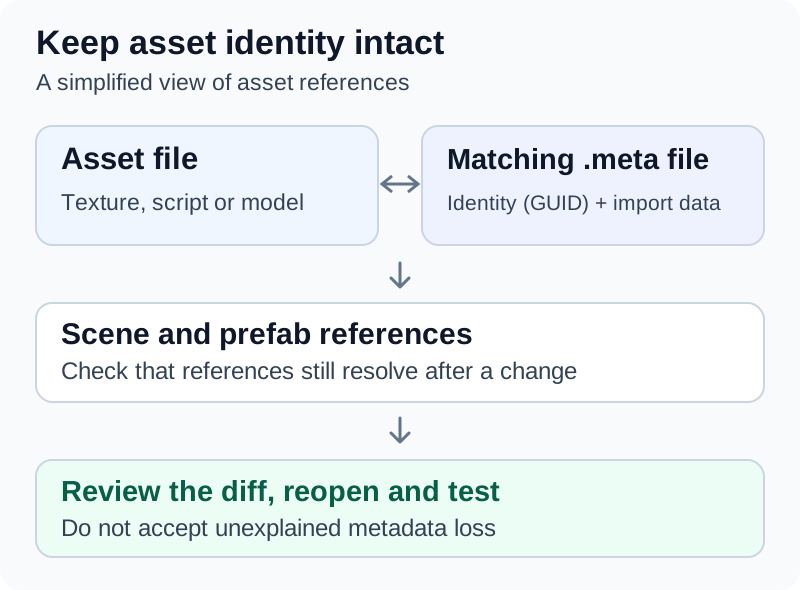
<asset>.import next to each imported asset | Yes. The import documentation says these contain "important metadata" | [20] |
*.uid next to scripts and shaders (Godot 4.4 and later) | Yes. Godot's announcement says *.uid "should not be added to .gitignore" | [27] |
export_presets.cfg | Yes. Godot says it "can be safely committed" | [21] |
.godot/export_credentials.cfg | No. It holds confidential export options such as passwords and encryption keys | [21] |
Large binary assets can go through Git LFS; Godot's version-control page includes an example .gitattributes for it.[3] Inspect the diff before committing an agent's changes, and include .uid and .import files that belong to new or moved assets.
Give the assistant the scene structure
A Godot game is organized as scenes made from node trees. Saved scenes can be instantiated in other scenes, and the project has a main scene that loads first; the editor stores its path in project.godot.[4] A script alone may therefore omit the relationships needed to understand a bug.
For a player task, supply the relevant tree, attached scripts and Inspector values. Include the exact names, not a description such as "the collision object somewhere under the player." Identify whether the request changes a reusable scene or only one instance of it.
An illustrative organization for a small collection game is:
main.tscn
  Main
    Player (instance of player.tscn)
    Pickups
    HUD

player.tscn
  Player (CharacterBody2D)
    Visual (Sprite2D)
    CollisionShape2D
These are proposed project names, not nodes automatically created by Godot. Ask the assistant to inspect the actual project before adopting them. Godot's scene-organization guidance explains how hard references can break when a branch becomes a reusable scene, and recommends designing scenes "to have no dependencies" where possible, with a parent supplying what a child needs.[5]
Node paths are a common failure point when an agent renames or moves nodes. get_node() returns null and generates an error when its path does not point to a valid node.[33] A node marked with unique_name_in_owner can instead be reached with the %Name syntax from any node sharing the same owner, which survives some reorganizations within a scene.[33] Ask the agent to search scripts and scenes for the old path after any rename.
For interactions, specify who owns the state. A pickup can report collection; the gameplay controller can update the score; the HUD can display it. Godot signals allow objects to react to events without requiring direct references between every participant.[6] In an agent request, state which signal already exists, who connects it and whether the editor or a script creates that connection. A signal can be connected only once to the same callable: a second connect() returns ERR_INVALID_PARAMETER and generates an error unless the reference-counted flag is used, and is_connected() checks first.[32] An "already connected" error therefore usually means both the editor and a script are making the same connection.
Write Godot-specific project instructions
The hub guide gives a general instructions template for CLAUDE.md or AGENTS.md. For a Godot project, add the engine facts and the exact commands the agent is allowed to run. The following block is illustrative; replace the version, paths and preset name with your own. Every Godot flag in it appears in Godot's command-line reference; the GUT options (-gdir, -gexit) are covered below.[16][36]
## Engine
- Godot 4.7.2 standard build, GDScript only. Do not use Godot 3 APIs
  (KinematicBody2D, yield, the export keyword). Use static types.
- Main scene: res://main.tscn. Input actions: move_left, move_right,
  move_up, move_down, restart. Do not rename them.

## Commands (run from the folder containing project.godot)
- Import after adding or moving files: godot --headless --path . --import
- Parse one script:  godot --headless --path . --check-only --script <file.gd>
- Unit tests (GUT):  godot --headless -s --path . addons/gut/gut_cmdln.gd -gdir=res://test/unit -gexit
- Export (Linux):    godot --headless --path . --export-release "Linux" build/game.x86_64

## Rules
- Prefer editing .gd files. Edit .tscn/.tres text only for the task's named
  scenes; never invent uid:// values. Keep each .uid file with its script.
- Read the full output of every command. A zero exit status does not prove
  there were no script errors.
- Do not install addons, change project.godot renderer settings or edit
  export_presets.cfg without asking.
Implement one mechanic with explicit checks
Start with movement or one pickup, then add a failure condition and restart. Each step should have a visible outcome and a narrow set of files. The following is an illustrative prompt for an existing project:
Inspect project.godot, main.tscn and player.tscn before editing.
Use the installed Godot 4 version and the existing input actions.

Task: add a collectible that increases the run score once.
The gameplay controller owns the score; the HUD only displays it.
Reuse the existing player scene and preserve its node names.

Checks:
- Touching one collectible increases the score exactly once.
- Remaining in its collision area does not award repeated points.
- Two separate collectibles award two points.
- Restart clears the score and restores the intended collectible state.
- Existing movement and failure behavior still work.

Show the diff and the evidence for each check.
Do not add an addon or change the engine version.
The expected numbers here define this example's rules. They are not Godot defaults. If the real game uses a different scoring system, replace them before implementation.
For a bug, give evidence rather than a symptom. An illustrative repair prompt:
Bug: after restart, the score label shows the old score until the first pickup.
Reproduction: start main.tscn, collect 2 pickups, die, press restart.
Output: no errors in the Debugger; the label shows 2, then 1 after a pickup.
Scope: scripts/game_controller.gd and scenes/hud.tscn only.
First explain the cause using the code. Then make the smallest fix, add a
GUT test that fails before the fix and passes after it, and run the tests.
A small Godot 4 movement example
For a top-down example, create a CharacterBody2D with a suitable collision shape, set its Motion Mode to Floating, and attach this script. Define move_left, move_right, move_up and move_down in Project > Project Settings > Input Map, with the intended keys or controller events. Input.get_vector() combines four actions into a direction whose length is limited to 1; CharacterBody2D provides the velocity property and move_and_slide().[7][8]
extends CharacterBody2D

@export var speed: float = 180.0

func _physics_process(_delta: float) -> void:
    velocity = Input.get_vector(
        "move_left", "move_right", "move_up", "move_down"
    ) * speed
    move_and_slide()
The speed is an example tuning value. This script supplies movement, not a camera, level, sprite, scoring system or complete game. Check it before relying on it: parse it with --check-only and run a test such as the GUT example below, which asserts a diagonal speed of 180 and that the body stops after the input is released. Such checks do not establish wall collision, controller support, appearance or behavior on an exported platform.
If the actions are missing from the Input Map, Godot 4.7.2 reports an error such as The InputMap action "move_right" doesn't exist. Did you mean "ui_right"? on every physics frame rather than refusing to start, so read the output even when the game window opens.[53]
Test input in the actual game as well. Godot's InputMap separates actions from particular keys. Its input-event guidance also explains that gameplay event handlers can use _unhandled_input() so GUI controls have an opportunity to consume events first.[9] Polling global input state is a different mechanism: Input methods "reflect the global input state" and are not affected by a GUI accepting an event.[7] Define what movement should do while a menu or pause screen is open, rather than assuming a menu will suppress it.
Keep agent-written GDScript on Godot 4
Models have seen large amounts of Godot 3 code, and Godot 3 and 4 differ substantially. Godot's migration guide lists renamed classes (for example KinematicBody2D became CharacterBody2D and KinematicBody became CharacterBody3D), a changed signal-connection syntax, changed setter and getter syntax, and the tool keyword becoming the @tool annotation.[31] Tell the agent the engine version and reject Godot 3 idioms in review.
| Godot 3 idiom an agent may produce | Godot 4 form | What Godot 4.7.2 reports |
|---|---|---|
extends KinematicBody2D | extends CharacterBody2D[31] | Could not find base class "KinematicBody2D". |
yield(timer, "timeout") | await timer.timeout | "yield" was removed in Godot 4. Use "await" instead. |
connect("body_entered", self, "_on_body_entered") | body_entered.connect(_on_body_entered); Godot recommends the Signal-based syntax so signal-name errors are not found only at runtime[31] | Invalid argument for "connect()" function: argument 2 should be "Callable" |
tool at the top of a script | @tool[31] | The "tool" keyword was removed in Godot 4. Use the "@tool" annotation instead. |
export var speed = 10 | @export var speed: float = 10.0 | The "export" keyword was removed in Godot 4. Use an export annotation ("@export", "@export_range", etc.) instead. |
The messages in the third column are the GDScript parser's and analyzer's error strings in the Godot 4.7.2 source.[53] For a whole Godot 3 project, Godot provides --validate-conversion-3to4 to list planned renames and --convert-3to4 to apply them; the migration guide warns to back the project up first because the tool makes no backup, and says scripts will likely still contain errors afterwards.[31][16]
Use static typing and warnings as a check
Static typing lets GDScript "detect more errors without even running the code".[29] Ask the agent to type variables, parameters and return values, and make the project enforce it. The warning system is configured in the GDScript section of Project Settings, which is visible with Advanced Settings enabled (or by searching for "GDScript"). Each warning can be set to Ignore, Warn or Error, and the documentation notes that with warnings turned into errors "your game won't compile unless you fix all warnings".[28][30]
Useful settings for agent-written code are debug/gdscript/warnings/untyped_declaration (a variable or parameter without a static type, or a function without a return type), unsafe_method_access and unsafe_property_access; all three default to Ignore.[30] With untyped_declaration set to Error, an untyped variable is reported as a parse error such as Variable "score" has no static type. (Warning treated as error.).[53] In project.godot the setting is stored as:
[debug]

gdscript/warnings/untyped_declaration=2
The value 2 corresponds to Error in that setting's Ignore, Warn, Error list. Prefer changing it in the Project Settings dialog; the generated project.godot itself notes that it is "best edited using the editor UI and not directly".[53] The static-typing guide also notes that @onready var node: Type = $Node reports a changed node type as soon as the scene loads, whereas $Node as Type silently becomes null.[29]
Preserve scenes and resources when editing
Godot resources hold data used by nodes. They can be external files or built into a scene, and images, meshes and other resources are shared between scene instances.[10] If changing one enemy's material changes every enemy, inspect resource sharing before asking the assistant to rewrite the rendering code.
Have the agent explain changes to .tscn and .tres files as well as .gd scripts. Use Godot's resource APIs or editor tools for binary .scn and .res resources rather than treating them as text; ResourceSaver supports both text and binary formats and returns an error code.[11]
There is a separate trap when an editor script or bridge constructs a scene: being a child in memory does not by itself establish which nodes will be serialized. PackedScene.pack() saves the root and the nodes it owns. An incorrectly assigned owner can leave a generated child out of the saved scene.[12] After a tool-created change, save, close and reopen the scene, then run it again.
Keep paths and filename casing consistent. Godot's project-organization guidance recommends snake_case file names and lowercase characters because the exported PCK virtual filesystem is case-sensitive.[13] A path that happens to work on a case-insensitive development machine is insufficient evidence for a portable build.
Editing .tscn files as text
Scene files are text, so an agent can edit them, but the format has rules that are easy to break. Godot documents five sections in order: the file descriptor, external resources, internal resources, nodes and connections.[26]
| Element | What the documentation specifies | Agent pitfall |
|---|---|---|
| Descriptor | [gd_scene format=3 uid="uid://..."]; Godot 4 files use format=3. load_steps appears in scenes saved before Godot 4.6 and is now deprecated | Producing format=2 (Godot 3) files |
[ext_resource] | A path, type, uid and a file-local id, referenced as ExtResource("id") | Inventing a uid:// value or reusing an id |
[sub_resource] | Referenced as SubResource("id"); when internal resources link to each other, order matters in the file | Wrong ordering after inserting a resource |
[node] | name, type and parent; the root has no parent; a direct child of the root uses parent="."; parent paths exclude the root's name. unique_id appears only in scenes saved with Godot 4.6 or later | Two roots, or parent paths that include the root name |
| Comments and defaults | ; comments and properties equal to their default are discarded when the editor saves | Expecting notes or explicit defaults to survive |
All entries in this table come from the TSCN format documentation.[26] Since Godot 4.4, scripts and shaders also get a .uid file beside them (for example player.gd.uid), so a file moved outside the editor keeps its identity; Godot asks that the .uid file be moved or removed together with its script, and recommends re-saving dependent scenes after external moves to clear warnings.[27] When a scene's uid does not match any resource, Godot falls back to the text path: Godot 4.7.2 prints a warning of the form ext_resource, invalid UID: uid://... - using text path instead: res://player.gd.[53] Treat that warning as a defect to fix by re-saving in the editor, not as success, because the fallback can resolve to the wrong file if paths have been swapped.[27]
A safe pattern is to let the agent edit text for small, reviewable changes (a property value, a new child node), then open and save the scene in the editor so Godot normalizes it, and review the second diff.
Add an engine bridge only when needed
A file-editing assistant can work without an MCP server: the developer or the agent can run Godot's command line and read the logs. A bridge is useful when the agent needs documented engine operations, but its actual tool list determines what it can inspect or change. The hub guide's setup section compares bridges across engines.
Coding-Solo Godot MCP
Coding-Solo's community Godot MCP (MIT license) describes itself as letting agents "launch the Godot editor, run projects, capture debug output, and control project execution". Its stated requirements are Godot, Node.js 18 or newer with npm, and an MCP-compatible client.[14] This is a third-party integration, not a Godot Engine feature. As of 30 October 2026 the repository listed no GitHub releases, and the latest version published to npm as @coding-solo/godot-mcp was 0.1.1 (3 February 2026).[14][47]
For Claude Code, the README's setup is:[14]
claude mcp add godot -- npx @coding-solo/godot-mcp
If Godot is not detected automatically, pass its path (and optionally server-side debug logging):
claude mcp add godot -e GODOT_PATH=/path/to/godot -e DEBUG=true -- npx @coding-solo/godot-mcp
Restart Claude Code afterwards. Other clients use an mcpServers entry with "command": "npx" and "args": ["@coding-solo/godot-mcp"], optionally with GODOT_PATH and DEBUG in env.[14] The tools named in its documented auto-approve list are:
| Tool | Purpose (from the README) |
|---|---|
launch_editor, run_project, stop_project | Open the editor; run a project in debug mode; stop it |
get_debug_output | Retrieve console output and errors |
get_godot_version, list_projects, get_project_info | Version, project discovery and structure |
create_scene, add_node, load_sprite, save_scene | Create scenes, add nodes with properties, load textures into Sprite2D, save (including variants) |
export_mesh_library | Export a 3D scene as a MeshLibrary for GridMap |
get_uid, update_project_uids | UID lookup and re-saving resources (Godot 4.4+) |
Simple operations call Godot's command line; scene operations run a bundled GDScript file, godot_operations.gd.[14] Before using it, ask for the detected engine version and project path, then a read-only project inspection followed by a controlled run, and verify the reported result against the real project. The list contains no screenshot or input tool, so do not infer visual checks, keyboard control or playtesting from it. Its troubleshooting notes say the project path must point to a directory containing project.godot.[14]
Other Godot integrations
The Godot Asset Library lists many community MCP and assistant addons; a search for "MCP" on 30 October 2026 returned more than a dozen, all at the "community" support level.[50] Popularity is not a security review. The following are documented examples, not endorsements:
| Project | What its documentation says | Requirements and caveats |
|---|---|---|
| Godot-MCP (Ivan Murzak, Apache-2.0) | C# editor addon exposing editor operations as AI tools, including viewport, camera and isolated-node screenshots returned as PNG; the Godot counterpart of the same author's Unity-MCP[48] | Godot 4.3+ .NET (mono) edition and .NET 8 SDK; connects through the hosted ai-game.dev backend by default, or a self-hosted server[48] |
| AI Assistant Hub (FlamxGames, MIT) | In-editor assistants for coding and scene editing, "designed for local LLMs first"; Ollama, llama.cpp, Google Gemini, OpenRouter, xAI and others[49] | Does not run models itself; needs a provider such as Ollama[49] |
| Godogen (htdt, MIT) | Skills for Claude Code and Codex that generate a Godot (C# or GDScript), Bevy, Babylon.js or three.js game; says the agent "judges results from the running game (a live URL or a recorded clip), not from a clean compile"[51] | Godot 4 on PATH (the .NET build for C#), Python 3, system packages including ffmpeg; optional paid API keys for assets[51] |
Review downloaded addons and editor scripts before enabling them. In particular, Godot's @tool annotation executes a script in the editor. Its documentation warns that modifications made in the editor "are permanent, with no undo/redo possible" and that freeing nodes at the wrong time can crash the editor.[15] Use a disposable copy for a new automation tool and inspect what it saves.
Check the project in layers
Use the installed executable's --help output and the matching command-line reference. In the examples below, godot means that executable on the shell's path; replace it with the correct quoted path on your machine. Run from the project directory containing project.godot. --headless enables the headless display driver and a dummy audio driver, and is "useful for servers and with --script".[16]
| Check | Example command | What it establishes |
|---|---|---|
| Identify the binary | godot --version | Which editor executable is being used |
| Import resources | godot --headless --path . --import | The editor completes its import pass and quits; inspect errors |
| Parse one script | godot --headless --path . --check-only --script player.gd | Parsing of that script ("only parse for errors and quit"), not gameplay correctness |
| Run a custom check | godot --headless --path . --quit-after 600 --script checks/check_movement.gd | Only the assertions implemented by that script |
| Run unit tests | GUT or gdUnit4 commands below | The behaviors the tests cover |
| Run a scene with collision shapes | godot --path . --debug-collisions main.tscn | Visual confirmation of hitboxes |
--import starts the editor, waits for resources to import and then quits; --quit-after quits after a given number of iterations, which bounds a script that never calls quit().[16] The custom-check row requires a script that actually exists, inherits from SceneTree or MainLoop, and controls its own completion; it is not a built-in Godot test suite.[16] SceneTree.quit() accepts an exit code, and by convention 0 means success.[34] An illustrative check script, saved as checks/check_movement.gd:
extends SceneTree

func _initialize() -> void:
    for action in ["move_left", "move_right", "move_up", "move_down"]:
        if not InputMap.has_action(action):
            InputMap.add_action(action)
    var player := CharacterBody2D.new()
    player.motion_mode = CharacterBody2D.MOTION_MODE_FLOATING
    player.set_script(load("res://player.gd"))
    root.add_child(player)
    Input.action_press("move_right")
    Input.action_press("move_down")
    for i in 5:
        await physics_frame
    var speed := player.velocity.length()
    if absf(speed - 180.0) > 0.01:
        printerr("FAIL: expected 180, got ", speed)
        quit(1)
        return
    print("PASS")
    quit(0)
Do not trust the exit status alone
The command-line reference does not promise a non-zero exit status for script errors.[16] Do not rely on the exit status alone: how a failed check is reported can vary by platform and by whether --headless is used, so check the output for errors as well. Command-line export failures, such as a missing preset or export template, end with a failure status.[53] Tell the agent to read the full output and treat any SCRIPT ERROR, Parse Error or ERROR: line as a failure, and give every automated run a timeout.
The -d (--debug) option starts a local command-line debugger.[16] When a script error occurs, that debugger stops at a debug> prompt and waits for input, which can stall an unattended agent.[53] gdUnit4's own runner works around this by passing --remote-debug tcp://127.0.0.1:0, with a source comment explaining that it prevents "an endless 'debug>' loop on script parse errors".[43] Omit -d in agent runs unless someone is watching.
Automated tests with GUT or gdUnit4
Godot's own --test option runs the engine's unit tests and requires an engine compiled with tests=yes, so it is not a test runner for a game project.[16] Two community frameworks provide in-editor panels and command-line runners for project tests:
| GUT (Godot Unit Test) | gdUnit4 | |
|---|---|---|
| Version for Godot 4.7 | 9.7.1 (released 10 July 2026), listed for 4.7.x[35][46] | 6.2.2 (released 7 October 2026); the README lists the 6.2.x line for Godot 4.5 to 4.7.1[39][45] |
| Install | Download the 9.7.1 release zip and put its addons/gut folder in the project (the Asset Library's GUT entry was 9.6.1, listed for Godot 4.6), then enable in Project Settings > Plugins and relaunch Godot[35][37] | Asset Library ("GdUnit4") or manual install, then enable in Project Settings > Plugins; restart recommended[56] |
| Test file | extends GutTest; files start with test_[37] | extends GdUnitTestSuite[39] |
| Command line | godot -d -s --path "$PWD" addons/gut/gut_cmdln.gd plus options such as -gdir, -gtest, -gexit[36] | ./addons/gdUnit4/runtest.sh -a <dir> with GODOT_BIN set (runtest.cmd on Windows)[40] |
| Exit codes | 0 if all tests pass, 1 if any fail[36] | 0 success, 100 failures, 101 warnings[40] |
| Reports | JUnit XML with -gjunit_xml_file[36] | HTML (index.htm) and JUnit (results.xml) under reports/[40] |
| Input simulation | GutInputSender (InputSender), which sends InputEvents to an object or to Input[55] | Scene Runner: simulate_action_pressed, key, mouse and touch input, simulate_frames[41][42] |
| C# | GDScript tests | GDScript and C# tests[39] |
Two practical points from the frameworks' own source:
- Import first. Before the first
--import, GUT stopped withSome GUT class_names have not been imported. Please restart the Editor or run godot --headless --import, the message in GUT's own source; GUT 9.7.1's command-line script then callsquit(0), so the run exits with status 0.[38][54] Rungodot --headless --path . --importafter cloning or after adding the addon. - gdUnit4 refuses headless mode by default. Its runner exits with code 103 and the message "Headless mode is not supported!", because "Godot 'InputEvents' are not transported by the Godot engine in headless mode".[44] It accepts
--ignoreHeadlessMode, which is reasonable only for tests that do not depend on input events; tests using the Scene Runner's input simulation need a display (for example a virtual display on a CI server).
An illustrative GUT test, saved as res://test/unit/test_player.gd:
extends GutTest

func test_diagonal_speed_is_normalized():
    for action in ["move_left", "move_right", "move_up", "move_down"]:
        if not InputMap.has_action(action):
            InputMap.add_action(action)
    var player := CharacterBody2D.new()
    player.motion_mode = CharacterBody2D.MOTION_MODE_FLOATING
    player.set_script(load("res://player.gd"))
    add_child_autofree(player)
    Input.action_press("move_right")
    Input.action_press("move_down")
    await wait_physics_frames(3)
    assert_almost_eq(player.velocity.length(), 180.0, 0.01)
    Input.action_release("move_right")
    Input.action_release("move_down")
    await wait_physics_frames(3)
    assert_eq(player.velocity, Vector2.ZERO)
godot --headless --path . --import
godot --headless -s --path . addons/gut/gut_cmdln.gd \
  -gdir=res://test/unit -gexit -gjunit_xml_file=res://reports/gut.xml
GUT's documentation recommends separating fast unit tests from slower integration tests in different directories, and its wait_physics_frames helper is best used with at least two frames.[37] gdUnit4 also publishes a GitHub Action for CI.[39] For agent work, a useful rule is: the agent writes or updates a test that fails before a fix, then shows the passing run, and a human still plays the change. The testing and releasing guide covers playtesting and release checks beyond unit tests.
Debug in the editor
Then open the game and exercise the mechanic. Godot provides runtime debugging, profilers and visible collision shapes.[17] Use collision visualization to distinguish an incorrect hitbox from an incorrect script. For a runtime exception, collect the first relevant error, stack information, scene and input sequence; the Debugger panel's Stack Trace tab gives the stack and object state when execution breaks, and its Errors tab collects error and warning messages printed while the game runs.[18] Ask for a repair against that evidence, followed by the same reproduction and regression checks.
A visual comparison can help, but choose evidence appropriate to the question. Godot's Movie Maker produces offline-rendered, non-real-time video or image sequences and can support repeatable visual inspection; the documentation says it "is not designed for capturing real-time footage during gameplay".[19] From the command line, --write-movie <file> records, --fixed-fps sets the frame rate and --quit-after N stops after N frames; a .png output path produces numbered frames such as example00000000.png plus a .wav file.[19][16] Movie Maker records rendered frames, so do not assume a --headless run produces them; check that image frames were actually written, not only the .wav file. Retain the input sequence and relevant game state alongside a recording.
Import generated assets deliberately
Use Creating Game Assets with AI for the generation and provenance workflow. In Godot, place approved source assets in the project and let the import system process them. Importing adds an <asset>.import file next to the source, and imported data goes into .godot/imported/.[20] The import documentation distinguishes loading imported assets through the resource system from reading ordinary files directly; using FileAccess for an imported asset "will work in the editor, but it will break in the exported project".[20]
Test a replacement in one scene before changing every instance. Keep its dimensions, origin, collision behavior and readability consistent with the mechanic. After an agent adds files from outside the editor, run godot --headless --path . --import or reopen the project, and check the import result. Store source artwork and generation records outside the automatically generated import cache.
Export early and test the exported game
Create an export preset for the target platform in Project > Export and install export templates from Editor > Manage Export Templates. Godot's export dialog identifies missing requirements, and some platforms also need external SDKs.[21] Establish a small successful export before investing in the full content pipeline.
From the command line, the editor binary exports with a preset name from export_presets.cfg:[16][21]
godot --headless --path . --export-release "Linux" build/game.x86_64
godot --headless --path . --export-debug "Windows Desktop" build/game.exe
The command must use an editor binary, not an export template; preset names with spaces need quotes; a relative output path is relative to the project folder, not the shell's working directory; and the target directory must exist. --export-debug uses the debug template.[16] On machines without GPU access, such as CI servers, --headless is required.[16] If no matching templates are installed, the export fails with exit status 1 and the message No export template found at the expected path, naming a folder for the exact editor version (for example export_templates/4.7.2.stable/): templates must match the editor version. Without an export_presets.cfg, it stops with "This project doesn't have an export_presets.cfg file at its root."[53]
Check platform restrictions while choosing the language and renderer. The Godot 4 Web documentation requires WebAssembly and WebGL 2.0, uses the Compatibility renderer, and states that C# projects cannot currently export to the Web.[22] Recheck that versioned documentation before planning a browser release. A desktop editor run does not establish browser compatibility.
C# projects
C# needs the .NET-enabled Godot editor and a separately installed .NET SDK, because Godot does not bundle MSBuild or the C# compiler. The current documentation states that Godot 4.5 requires .NET 8 or later and that exporting to Android requires .NET 9 or later; Android and iOS support is described as experimental.[52] Project assemblies must be rebuilt (the editor's Build button) before new exported variables or signals appear in the editor, and --build-solutions builds them from the command line.[52][16] For an agent, C# adds a compile step: Godogen's README notes that dotnet build type-checks the whole project before anything runs, while GDScript runs on any Godot build with no .NET toolchain.[51]
Ask another person to launch the exported build without the editor or the agent. Test starting, playing, failure, restart, quitting and any saved settings. Record the build, device and result. Use Testing and Releasing AI-Assisted Games for the broader release checks and storefront disclosures.
Common problems and fixes
| Symptom | Likely cause | Fix |
|---|---|---|
Movement never starts; The InputMap action "move_right" doesn't exist | Action missing or misspelled in the Input Map, or the wrong scene runs | Define the exact action names in Project Settings > Input Map; check the main scene[4][7] |
Cannot call method ... on a null value after a rename (Godot 4.7.2 wording; the API reference quotes "Attempt to call on a null instance") | A get_node() or $ path no longer matches the tree | Update the path, or use %Name with unique_name_in_owner[33][53] |
Could not find base class "KinematicBody2D" or "yield" was removed in Godot 4 | Godot 3 code in a Godot 4 project | Use CharacterBody2D and await; run --validate-conversion-3to4 for whole projects[31] |
| Signal "already connected" error, or a pickup scores twice | The same connection made in the editor and in code, or collection not disabled after the first hit | Keep one connection; check with is_connected(); disable the pickup when collected[32] |
| Player passes through a wall | Collision shapes, layers or masks | Run with --debug-collisions or enable Visible Collision Shapes[16][17] |
| A tool-created node vanishes after reopening | The node's owner was not set before packing | Set owner to the scene root, save, reopen[12] |
ext_resource, invalid UID ... using text path instead | A hand-edited or invented uid:// value, or a .uid file not moved with its script | Re-save the scene in the editor; commit and move .uid files with scripts[26][27] |
GUT: Some GUT class_names have not been imported | No import pass since the addon was added or the repository was cloned | godot --headless --path . --import[38] |
| gdUnit4 exits with 103 | Headless mode is refused by default | Run with a display, or --ignoreHeadlessMode for tests without input events[44] |
Agent's headless run hangs at debug> | -d local debugger stopped on a script error | Drop -d in unattended runs; add --quit-after or a timeout[16][43] |
A check "passed" but the log shows SCRIPT ERROR | Exit status 0 despite script errors | Fail the run on any SCRIPT ERROR, Parse Error or ERROR: line |
No export template found at the expected path | Templates missing or for another version | Editor > Manage Export Templates for the exact editor version[21] |
| Export passwords or keys missing on a new machine | .godot/export_credentials.cfg is not in version control | Copy it manually to the new machine; keep it out of Git[21] |
| Asset works in the editor but is missing from a build | FileAccess used on an imported asset, or the file excluded from export | Load through the resource system; check import and export filters[20][21] |
| Path works on Windows or macOS but not in the export | File-name case differs from the path in code | Use consistent snake_case, lowercase names[13] |
| New C# export or signal not visible in the editor | Assemblies not rebuilt | Build in the editor or run --build-solutions[52] |
| Web export unavailable, or the web build looks different from desktop | C# project (cannot export to the Web), or visuals built for Forward+ or Mobile (web builds use the Compatibility renderer: rendering/renderer/rendering_method.web defaults to gl_compatibility) | GDScript for Web; test the visuals with the Compatibility renderer[22][30] |
What research supports
Godot-based benchmarks offer evidence for checking behavior inside the engine, rather than accepting generated files as a finished result. The June 2026 GameCraft-Bench preprint evaluates 140 Godot tasks across 15 game families through replayed demonstrations and rubric-guided multimodal judging. Its authors report that the strongest agent scored 41.46% and most agents below 40%, and that agents "struggle to deliver complete games with sufficient content, functional visual feedback, and coherent presentation".[23]
The September 2026 SWE-Game preprint, revised in October, covers 247 tasks grounded in 41 Godot games across 13 gameplay categories. It combines engine-state checks, input replay and demonstrations with separate visual assessment. The authors report best overall scores below 60 out of 100 on the three construction tasks, and identify requirement omissions and gameplay-logic errors as the predominant problems in reviewed submissions. On human-labeled behaviors from 100 agent-built games, their executable checks reached 92.59% balanced accuracy, compared with 78.41% for a video-based vision-language judge.[24] These are results for specified tasks and evaluated systems, not a success forecast for a particular game. The practical recommendation here is to review code, run engine-level tests, observe gameplay and test the exported artifact separately.
Continue reading
- Developing Games with AI(hub guide)Listed in See also
- Developing Browser Games with AIDeveloping browser games with AI combines ordinary web game development with an assistant that helps plan, edit and check the project.Listed in See also
- Creating Game Assets with AICreating game assets with AI is a production workflow in which generated images, meshes, sound or text are reviewed, edited and imported into a game.Listed in See also
- Testing and Releasing AI-Assisted GamesTesting and releasing AI-assisted games means checking the project and the distributed build against written requirements, then preparing an accurate release.Listed in See also
- Developing Unity Games with AIDeveloping Unity games with AI combines assistance with C# and project files with work in Unity's scenes, assets and Editor.Listed in See also
- Developing Unreal Engine Games with AIDeveloping Unreal Engine games with AI means using assistants to help with source code, Blueprint work, editor operations or asset production while validating the result in the actual project.Listed in See also

More from See also
More to read
Topics:AI in GamingDeveloper ToolsGenerative AISoftware Development
References
- ^1 ^2Godot Engine. Your first 2D game. Official documentation, accessed 30 October 2026.
- ^1 ^2Godot Engine. Godot release policy. Official documentation, accessed 30 October 2026.
- ^1 ^2 ^3 ^4 ^5Godot Engine. Version control systems. Official documentation, accessed 30 October 2026.
- ^1 ^2Godot Engine. Nodes and Scenes. Official documentation, accessed 30 October 2026.
- ^Godot Engine. Scene organization. Official documentation, accessed 30 October 2026.
- ^Godot Engine. Using signals. Official documentation, accessed 30 October 2026.
- ^1 ^2 ^3Godot Engine. Input, especially `get_vector()` and global input state. Official API reference, accessed 30 October 2026.
- ^Godot Engine. CharacterBody2D. Official API reference, accessed 30 October 2026.
- ^Godot Engine. Using InputEvent. Official documentation, accessed 30 October 2026.
- ^Godot Engine. Resources. Official documentation, accessed 30 October 2026.
- ^Godot Engine. ResourceSaver. Official API reference, accessed 30 October 2026.
- ^1 ^2Godot Engine. PackedScene, especially ownership when packing a scene. Official API reference, accessed 30 October 2026.
- ^1 ^2Godot Engine. Project organization. Official documentation, accessed 30 October 2026.
- ^1 ^2 ^3 ^4 ^5 ^6Coding-Solo. Godot MCP. Repository README and documented tool list, MIT license, accessed 30 October 2026.
- ^Godot Engine. Running code in the editor. Official documentation, accessed 30 October 2026.
- ^1 ^2 ^3 ^4 ^5 ^6 ^7 ^8 ^9 ^10 ^11 ^12 ^13 ^14 ^15 ^16Godot Engine. Command line tutorial. Official command reference, accessed 30 October 2026.
- ^1 ^2Godot Engine. Overview of debugging tools. Official documentation, accessed 30 October 2026.
- ^Godot Engine. Debugger panel. Official documentation, accessed 30 October 2026.
- ^1 ^2Godot Engine. Creating movies. Official documentation, accessed 30 October 2026.
- ^1 ^2 ^3 ^4 ^5Godot Engine. Import process. Official documentation, accessed 30 October 2026.
- ^1 ^2 ^3 ^4 ^5 ^6 ^7Godot Engine. Exporting projects. Official documentation, accessed 30 October 2026.
- ^1 ^2Godot Engine. Exporting for the Web. Official documentation, accessed 30 October 2026.
- ^Tongxu Luo et al. GameCraft-Bench: Can Agents Build Playable Games End-to-End in a Real Game Engine?. arXiv:2606.17861, preprint, 16 June 2026.
- ^Xiaoyu Chen et al. SWE-Game: Can Coding Agents Build the Games We Want?. arXiv:2609.33678v3, preprint, 7 October 2026; first submitted 27 September 2026.
- ^Godot Engine. Godot download archive. Lists 4.7.2-stable (18 August 2026) and 4.8-beta2 (29 October 2026), accessed 30 October 2026.
- ^1 ^2 ^3Godot Engine. TSCN file format. Official documentation, accessed 30 October 2026.
- ^1 ^2 ^3 ^4Hugo Locurcio. UID changes coming to Godot 4.4. Godot Engine blog, 15 January 2025.
- ^Godot Engine. GDScript warning system. Official documentation, accessed 30 October 2026.
- ^1 ^2Godot Engine. Static typing in GDScript. Official documentation, accessed 30 October 2026.
- ^1 ^2 ^3Godot Engine. ProjectSettings, `debug/gdscript/warnings/*` settings. Official API reference, accessed 30 October 2026.
- ^1 ^2 ^3 ^4 ^5 ^6 ^7Godot Engine. Upgrading from Godot 3 to Godot 4. Official documentation, accessed 30 October 2026.
- ^1 ^2Godot Engine. Object, `connect()`. Official API reference, accessed 30 October 2026.
- ^1 ^2 ^3Godot Engine. Node, `get_node()` and `unique_name_in_owner`. Official API reference, accessed 30 October 2026.
- ^Godot Engine. SceneTree, `quit()`. Official API reference, accessed 30 October 2026.
- ^1 ^2bitwes. GUT. GitHub README and version table, MIT license, accessed 30 October 2026.
- ^1 ^2 ^3 ^4GUT documentation. Command Line. Accessed 30 October 2026.
- ^1 ^2 ^3GUT documentation. Quick Start and Install. Accessed 30 October 2026.
- ^1 ^2bitwes. version_conversion.gd. GUT 9.7.1 source, `error_if_not_all_classes_imported()`, accessed 30 October 2026.
- ^1 ^2 ^3 ^4Godot gdUnit Labs. gdUnit4. GitHub README and compatibility table, accessed 30 October 2026.
- ^1 ^2 ^3gdUnit4 documentation. Command Line Tool. Accessed 30 October 2026.
- ^gdUnit4 documentation. Scene Runner. Accessed 30 October 2026.
- ^gdUnit4 documentation. Simulate Actions. Accessed 30 October 2026.
- ^1 ^2Godot gdUnit Labs. runtest.sh. gdUnit4 6.2.2 source, accessed 30 October 2026.
- ^1 ^2Godot gdUnit Labs. GdUnitTestCIRunner.gd. gdUnit4 6.2.2 source, headless-mode check, accessed 30 October 2026.
- ^Godot gdUnit Labs. gdUnit4 v6.2.2 release. GitHub, 7 October 2026.
- ^bitwes. GUT 9.7.1 release. GitHub, 10 July 2026.
- ^npm. @coding-solo/godot-mcp. Package registry entry, latest version 0.1.1, accessed 30 October 2026.
- ^1 ^2Ivan Murzak. Godot-MCP. GitHub README, Apache-2.0 license (Asset Library entry version 0.33.0), accessed 30 October 2026.
- ^1 ^2FlamxGames. Godot AI Assistant Hub. GitHub README (version 2.1.0), MIT license, accessed 30 October 2026.
- ^Godot Engine. Asset Library search: "mcp". Accessed 30 October 2026.
- ^1 ^2 ^3htdt. Godogen. GitHub README, MIT license, accessed 30 October 2026.
- ^1 ^2 ^3Godot Engine. C# basics. Official documentation, accessed 30 October 2026.
- ^1 ^2 ^3 ^4 ^5 ^6 ^7 ^8 ^9Godot Engine. Godot source code, 4.7.2-stable. Error and warning strings in `modules/gdscript/` (`gdscript_parser.cpp`, `gdscript_analyzer.cpp`, `gdscript_warning.cpp`, `gdscript_vm.cpp`), `core/input/input_map.cpp`, `scene/resources/resource_format_text.cpp`, `core/debugger/local_debugger.cpp`, `core/config/project_settings.cpp`, `editor/editor_node.cpp` and `editor/export/editor_export_platform.cpp`. Accessed 30 October 2026.
- ^bitwes. gut_cmdln.gd. GUT 9.7.1 source, accessed 30 October 2026.
- ^GUT documentation. Mocking Input. Accessed 30 October 2026.
- ^gdUnit4 documentation. Installation. Accessed 30 October 2026.
Improve this article
Add missing citations, update stale details, or write a clearer explanation. Anyone can edit: changes go live when you publish, and every edit is checked by an editor.
3 revisions · v3 · 7,015 words · full history
Fact-checks are independent of edits: a reviewer re-verifies the article against its sources and stamps the date. How we verify
Research and drafting on this wiki are AI-assisted, under named human editorial standards. How AI is used here
Reviewer note: xg28 phase 3 independent verification (96 sources, ~175 claims incl. every Godot CLI flag, GUT/gdUnit4 command and error string checked against 4.7.2 source); 3 material + 21 minor defects fixed pre-publish
Cite this page: AI Wiki. "Developing Godot Games with AI." aiwiki.ai, updated 30 Oct 2026, fact-checked 30 Oct 2026. CC BY 4.0. https://aiwiki.ai/wiki/developing_godot_games_with_ai